
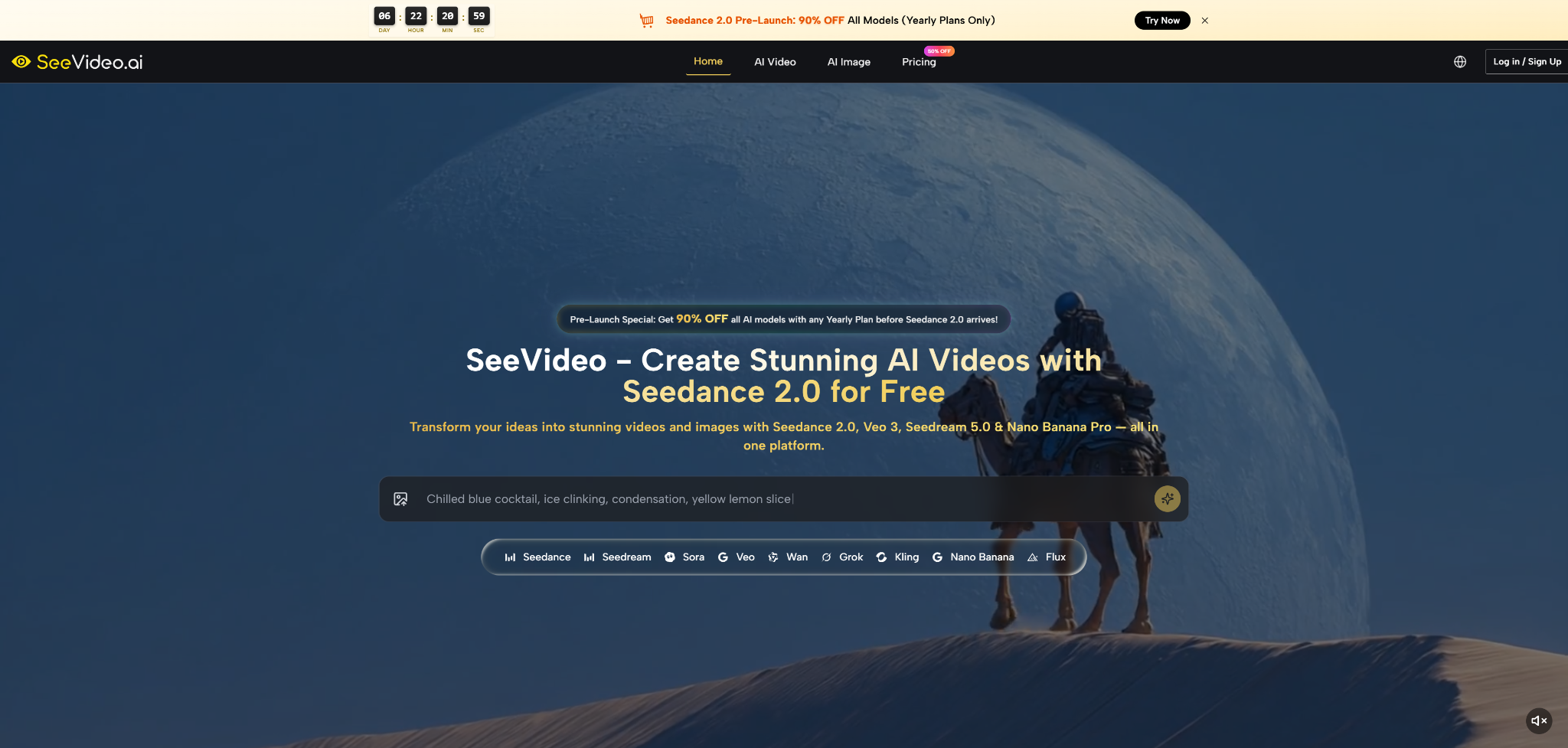

AI video generation is no longer a side experiment for curious creators. It has moved into the daily workflow of marketers, YouTubers, e-commerce teams, and solo makers who need motion content faster than a traditional production cycle allows. That is why Seedance 2.0 is worth looking at now: not because one model name can magically solve every visual problem, but because the platform around it is trying to make video creation feel less fragmented.
The biggest problem with AI video tools is not always image quality. Often, it is workflow friction. A creator may need one model for realistic movement, another for cinematic style, another for image generation, and another for quick draft testing. Jumping between platforms can make a simple idea feel like a production maze. SeeVideo approaches that pain point by placing Seedance 2.0 and several other video and image models inside one creative environment.
I looked at the platform from a practical user perspective: how clearly it explains the creation path, what kinds of projects it appears designed for, where Seedance 2.0 fits inside the model lineup, and how much confidence a creator can have before starting a campaign, product visual, or social video. The result is not a story about a tool that replaces directors, editors, or designers. It is a more realistic story about a workspace that may help creators test visual ideas faster, especially when they need video, image, and reference-based generation in one place.
Why This Platform Feels Timely For Creators
The current AI video market is crowded, and that creates a strange problem. More model choice should make creators more powerful, but in practice it can also make decisions harder. One tool may be better for quick single-scene drafts, another may emphasize native audio, another may be used for cinematic storytelling, while image models are often handled elsewhere entirely.
SeeVideo’s strongest positioning is that it does not treat AI video as an isolated button. The platform presents itself as a unified AI video maker and image creator, with Seedance 2.0 placed near the center of that system. It also highlights access to models such as Veo, Sora, Kling, Wan, Seedream, Nano Banana Pro, and other image-focused options. From a workflow perspective, this matters because creators rarely work in a straight line. They may begin with a product image, test a prompt, compare a motion style, generate a still frame, then turn that visual into a short video.
The practical advantage is not only “more models.” The advantage is reducing the mental cost of moving between tools. For a social media manager, that may mean creating multiple visual directions without rebuilding the project from scratch. For an e-commerce seller, it may mean testing product lifestyle visuals before committing to a larger shoot. For a video creator, it may mean using a fast draft model first, then moving toward a stronger output when the concept is clearer.
A Testing Lens Matters More Than Hype
A believable AI video review should not begin by asking, “Is this the best model?” That question is too broad. A better test is whether the platform helps a real creator move from idea to usable visual direction with less friction.
The Useful Question Is Workflow Fit
From that angle, SeeVideo appears strongest for users who care about iteration. The platform’s model collection suggests a workflow where creators can test different generation styles, compare outputs, and decide which model better matches the task. That is more valuable than chasing one universal answer, because AI video quality still depends heavily on prompt clarity, source images, scene complexity, and the kind of movement requested.
How Seedance Fits Inside The Creative Stack
Seedance 2.0 is presented as the platform’s core AI video maker, especially for multi-scene generation and audio input support. The official messaging emphasizes text, image, and audio-based video creation, along with smoother scene transitions and professional output ambitions. From a practical user perspective, that makes Seedance 2.0 most interesting for projects that need more than a single static motion effect.
A simple product spin, a one-shot landscape movement, or a short lifestyle clip can often be handled by many AI video tools. The harder test is whether a platform can support a slightly more directed idea: a scene with mood, subject behavior, visual continuity, and a transition between moments. That is where the promise of Seedance 2.0 AI Video becomes more relevant.
This does not mean every complex scene will work perfectly on the first attempt. AI video generation still tends to reward precise prompting, clear subject descriptions, and realistic expectations. If a prompt asks for too many subjects, contradictory camera movements, or highly specific physical interactions, the result may vary. But the platform’s focus on multi-scene video gives it a useful place in the creative process: early concept development, campaign draft testing, short-form storytelling, and content direction.
Visual Control Depends On Prompt Discipline
In my testing framework, I would judge Seedance-related output through four practical questions: does the subject remain understandable, does motion feel natural enough for the intended channel, does the scene follow the prompt, and does the result reduce or increase editing work?
Strong Prompts Create More Stable Direction
The platform can help creators move quickly, but it does not remove the need for creative judgment. A vague prompt like “make a cinematic product video” is less useful than a prompt that defines the product, lighting, camera movement, background, mood, and intended platform. The better the creative brief, the more likely the generated result will become usable as a draft, reference, or final social asset.
Official Workflow For Creating Video Projects
The official workflow is simple enough to understand without treating the tool like professional editing software. Based on the platform’s public explanation, the process centers on providing an idea or reference, generating with the AI model, and reviewing the result for the intended use case.
Step One Begins With A Clear Input
The first step is to give the system a direction. That may be a text prompt, a reference image, or audio input, depending on the generation mode and model being used.
The Input Should Define The Scene
A strong input should describe the subject, setting, mood, motion, and visual style. For image-to-video, the uploaded image becomes the starting visual reference. For text-to-video, the prompt carries more responsibility. For audio-supported workflows, the audio can help guide the creative direction, but the user still needs to think clearly about the desired scene.
Step Two Uses AI Generation To Build Motion
After the input is prepared, the platform uses the selected video generation path to create the moving result. Seedance 2.0 is positioned for text, image, and audio-to-video creation, while other models may suit different visual priorities.
The Model Choice Shapes The Result
Different models are presented with different strengths. Seedance 2.0 is associated with multi-scene video and audio input support. Veo is highlighted for native audio capabilities. Other models are positioned around cinematic depth, artistic style, fluid motion, or image generation. This means the creator should treat model choice as part of the creative decision, not just a technical setting.
Step Three Reviews Results Against The Task
Once a result is generated, the important question is not whether it looks impressive in isolation. The better question is whether it fits the campaign, post, product page, or video sequence it was made for.
Review Should Focus On Usability
Creators should look at subject consistency, motion quality, scene readability, style alignment, and whether the generated clip would need heavy editing before use. If the scene is complex, multiple attempts may be needed. That is normal for AI video work and should be treated as part of the iteration process rather than a failure of the entire workflow.
Scenario Testing Shows Where It Helps Most
A useful way to understand SeeVideo is to imagine three real production tasks. The first is a short social media concept. The difficulty is speed: a creator needs to turn a rough idea into a visual direction before the trend disappears. Here, the platform’s value is its low-friction creative path and model variety. A creator can test whether a product shot, character moment, or lifestyle scene has enough visual energy before building a full campaign around it.
The second task is e-commerce visualization. The challenge is not just beauty; it is clarity. Product content must make the object readable while still feeling attractive. SeeVideo’s combination of image and video models can support this kind of workflow because a creator may need both still visuals and motion drafts. The result may not replace a polished commercial shoot in every case, but it can help sellers explore angles, settings, and product storytelling before spending more time or money.
The third task is video creator support. YouTubers and editors often need B-roll, establishing shots, mood clips, and concept visuals. For this group, SeeVideo’s model range may be useful because different scenes require different strengths. A realistic urban shot, a stylized transition, and a product close-up may not all benefit from the same model. The ability to think across models inside one environment is the more important advantage.
Practical Comparison Across Creator Needs
The table below summarizes where the platform’s approach appears most useful from a real workflow perspective.
| Evaluation Area | SeeVideo Approach | Practical User Value |
| Entry workflow | Text, image, and audio-based creation paths | Gives creators several ways to start a project |
| Model access | Multiple video and image models in one workspace | Reduces switching between separate tools |
| Creative control | Prompt and reference-driven generation | Rewards clear direction and structured briefs |
| Scenario fit | Social, marketing, YouTube, and e-commerce use cases | Useful for fast campaign and content testing |
| Learning cost | Familiar prompt-based workflow | Easier for non-editors to begin experimenting |
| Reliability expectation | Output depends on prompt and scene complexity | Best treated as iterative, not automatic perfection |
Real Limitations Creators Should Expect
The most important limitation is that AI video still depends heavily on input quality. A strong platform can provide models, workflow, and generation access, but it cannot guess every creative detail correctly. If a user gives a weak prompt, asks for too many actions at once, or expects perfect continuity across a complicated scene, the result may need revision.
Another limitation is consistency. Reference images and clear descriptions can help guide character, style, or brand direction, but creators should not assume every generation will preserve every detail perfectly. Small changes in face, hands, object shape, lighting, or movement can still appear, especially in complex scenes.
There is also a difference between a useful generated video and a final production asset. Some outputs may be strong enough for social media drafts, concept previews, or lightweight campaigns. Others may need trimming, editing, color adjustment, or regeneration before use. That does not reduce the platform’s value; it simply places it in the right part of the creative chain.
The Best Use Case Is Iterative Production
SeeVideo is most convincing when viewed as an idea-to-motion workspace rather than a magic final-cut machine. It helps users explore creative directions, compare model strengths, and produce visual material faster than a blank-page workflow.
Human Review Still Protects Quality
The creator still needs to judge whether a clip fits the audience, brand, and channel. That human review is especially important for ads, client work, and product content, where visual errors can damage trust. The platform can accelerate production, but the final decision should remain editorial.
Who Should Seriously Consider This Workflow
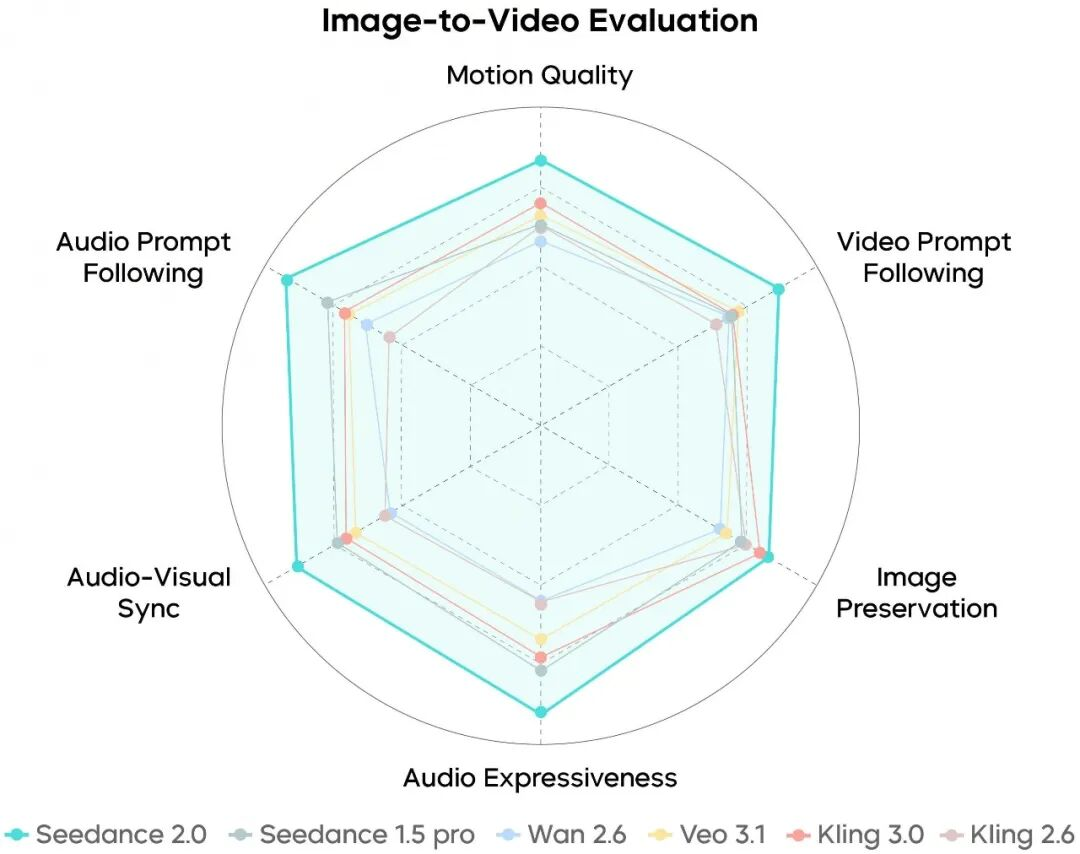
SeeVideo makes the most sense for creators who already know that one model cannot solve every visual task. Social media teams can use it to test multiple short-form ideas. E-commerce sellers can explore product motion and lifestyle visuals. YouTubers can build supporting shots and visual concepts. Agencies can use it for fast creative exploration before narrowing down the final direction.
It is less ideal for users who expect one prompt to create a perfect commercial every time. AI video is still a field of iteration, selection, and refinement. The real advantage is not that every result will be flawless. The advantage is that the platform gives creators a practical place to test, compare, and improve visual ideas without scattering the workflow across too many separate tools.
For users who value speed, model choice, and a clearer path from concept to video, SeeVideo offers a timely and useful creative environment. Its strongest role is helping creators move from uncertainty to direction: not by removing creative judgment, but by giving that judgment more visual material to work with.