
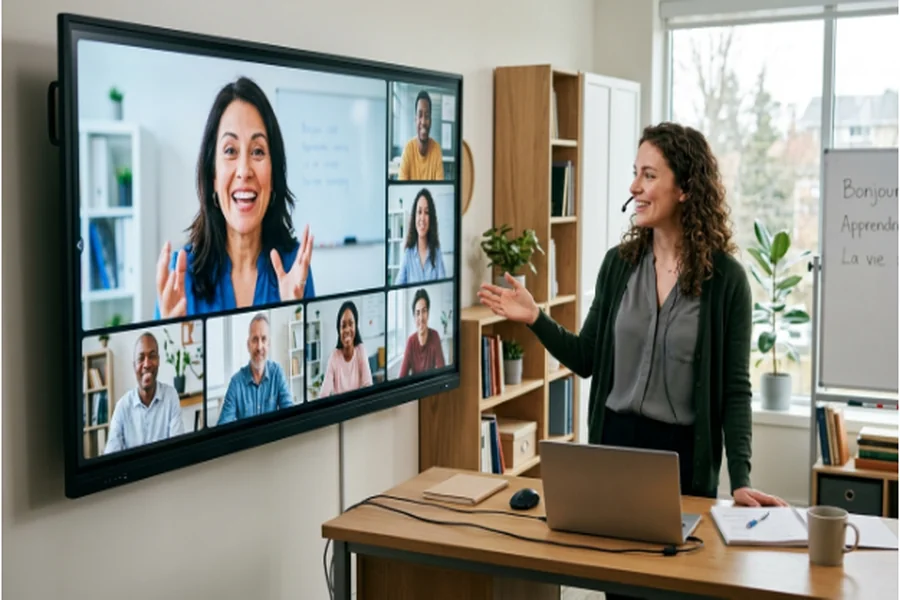

A transcript can preserve every word and still miss part of the message. Video carries facial expression, timing, gesture, lip movement, demonstrations, diagrams, and the shared physical context around speech. When the image is soft or heavily compressed, those cues become harder to read. This is especially noticeable in language lessons, interviews, remote training, customer explanations, and how-to content. Improving clarity is therefore not simply cosmetic. It can remove visual friction that competes with meaning. The responsible goal is not to manufacture detail or alter a speaker’s appearance. It is to make authentic cues easier to perceive while preserving captions, audio, pacing, and the original record.
Communication Is More Than the Transcript
Spoken language depends on context. A raised eyebrow can mark irony. A hand movement can define direction. A close view of the mouth can help a learner distinguish similar sounds. In a product demonstration, the relationship between the narrator’s words and the action on screen may carry more meaning than either channel alone. Poor video quality weakens that relationship.
The problem is often cumulative. Low resolution softens edges, compression breaks motion into blocks, and noise hides subtle changes in expression. A small phone screen may conceal these defects, but a laptop, television, or classroom projector exposes them. Before improving a file, identify which visual cues matter to the audience. That prevents unnecessary processing and gives reviewers a concrete standard beyond “looks better.”
Identify the Detail That Carries Meaning
For an interview, priorities may be facial expression, eye line, and natural skin texture. For a pronunciation lesson, mouth shape and on-screen spelling matter. For a repair tutorial, the important details may be screw positions, tool angles, and finger placement. For a sign-language clip, hand shape, motion, face, and upper-body framing are all essential. Different content requires different review frames.
Preserve the strongest source before making changes. Keep the original file, note its resolution and frame rate, and select several short excerpts that represent faces, text, movement, and low light. If captions already exist, store them with the source. Enhancement should not become an excuse to lose accessibility assets or replace an original with an irreversible derivative.
A Four-Step Clarity Workflow
First, choose representative excerpts and define what must become easier to see. Second, apply moderate noise reduction and a realistic upscale target. Third, inspect the result at full size for halos, unstable texture, distorted letters, or changing facial detail. Fourth, export a high-quality master and verify captions, audio synchronization, and playback on the intended device.
A browser-based Video Enhancer AI can fit this process when teams need a quick 2x enhancement without installing software. UniFab’s online tool accepts MP4, AVI, and MOV, uses cloud GPUs, and can take 1080p to 4K while reducing noise and recovering texture. It works across computers, tablets, and phones. The online tier does not exceed 2x, so very weak sources or larger archival targets need a desktop route rather than unrealistic expectations.
Where Enhancement Helps Most
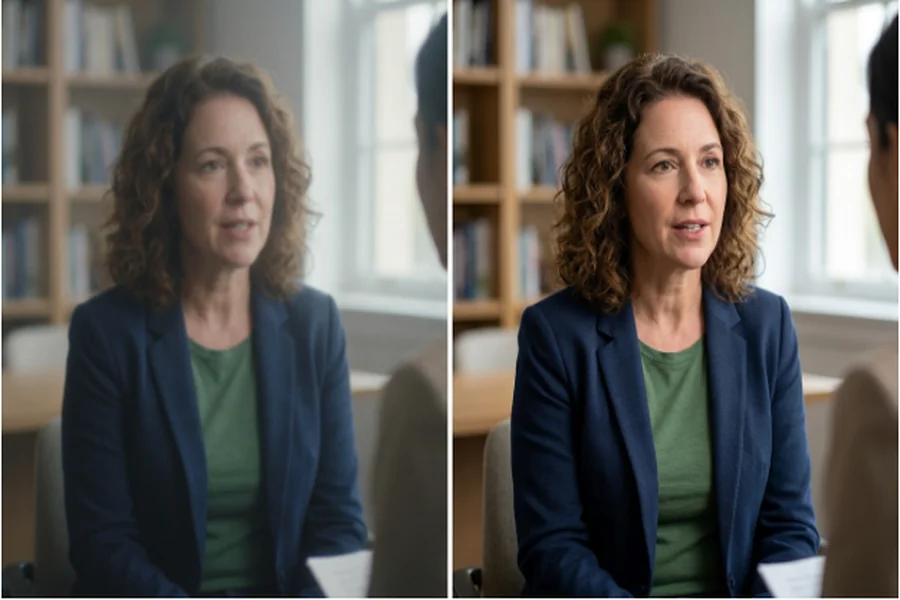
Language instruction is an obvious use. Clearer mouth movement and readable text can support a lesson, provided the audio and pedagogy are already sound. Interviews also benefit when compression has made facial expressions difficult to follow. Remote-work recordings can become easier to reuse in onboarding when slides, whiteboards, and demonstrations remain current but the exported video is soft.
Tutorials are another strong case because the audience must connect words with action. A modest enhancement can clarify a button, tool edge, or hand position. It cannot update an obsolete interface or correct a mistaken instruction, so content review still comes first. In all of these settings, the best result is usually the least dramatic one: viewers stop noticing the defect and focus on the explanation.
What Enhancement Cannot Solve
Clarity does not guarantee comprehension. A video may still use jargon, move too quickly, omit context, or lack captions. Poor microphone placement cannot be repaired by sharpening the image. A speaker framed too far away may not provide enough original detail for reliable lip reading. A cropped sign-language recording cannot recreate hands that were outside the frame.
AI processing can also introduce false confidence. If a model invents a crisp edge or facial texture, the output may look plausible without being historically or visually exact. That matters for journalism, research, legal records, and any context where authenticity is part of the evidence. Keep the source, label enhanced versions, and avoid describing reconstructed detail as recovered fact.
A Transparent Project Example
Imagine a defined production scenario: a six-minute 1080p interview for a language-learning course has accurate content and clean audio, but repeated platform compression has softened the speaker’s mouth and small example words. The team retrieves the earliest export, preserves it, and selects three twenty-second excerpts containing normal speech, fast speech, and text overlays.
The test uses a 2x target and restrained noise reduction. Reviewers compare the mouth area, hair, teeth, text, and background on matched frames. If lettering gains halos or facial detail changes between frames, the settings are reduced. Captions are checked against the same time codes after export. The six-minute duration, three excerpts, twenty-second samples, and 2x target are workflow specifications, not a claimed test result or comprehension statistic.
Frequently Asked Questions
Can video enhancement improve language learning by itself?
No. It can make useful visual cues easier to see, but lesson design, audio quality, captions, pacing, and practice remain more important.
Is a higher resolution always more truthful?
No. Upscaling creates a larger, cleaner-looking image, but some detail is reconstructed. Preserve and label the original when authenticity matters.
What should reviewers inspect after enhancement?
Check faces, lips, hands, text, fast motion, audio sync, captions, and any object that carries instructional meaning.
Should an enhanced interview replace the source?
Never. Keep the untouched source and store the enhanced master as a documented derivative.
Closing Perspective
Clear video supports communication when it reveals authentic cues that were already present but difficult to perceive. The right workflow starts by defining those cues, then uses moderate processing, matched-frame review, accessibility checks, and transparent records. Enhancement is most valuable when it becomes invisible—when the viewer can attend to a face, gesture, word, or demonstration without fighting the file that carries it.