

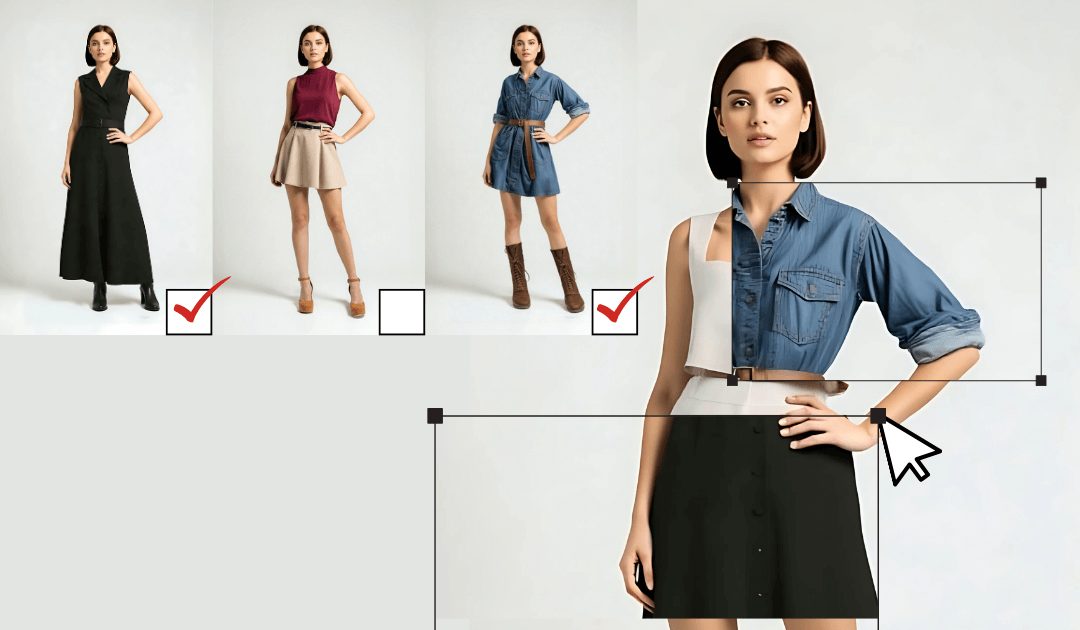
AI clothes swap has become a working tool for fashion creators in the past year. The output quality on common fabrics holds up to most viewer testing, the workflow is fast enough for ongoing content production, and the legitimate use cases (modeling outfit variations, exploring style direction, producing virtual try-on content) are well-supported.
The catch is that good clothes swap output requires technique discipline. Sloppy clothes swap produces output that obviously doesn’t fit the body or doesn’t drape correctly. The creators producing usable fashion content with AI clothes swap have specific habits that produce clean output.
Below are ten techniques drawn from creators using AI clothes swap in production fashion work.
1. Start with a clean source image
The output quality of AI clothes swap depends heavily on the input. A well-lit, front-facing or three-quarter pose with the body clearly visible produces noticeably better output than a stylized or partially-obscured source. Most artifacts in clothes swap work come from poor source images, not from the model itself.
For creator workflows, this means recording or generating source images specifically with clothes swap in mind: stable framing, good lighting, restrained pose, body fully in frame.
2. Match the body type to the outfit
Generic clothes swap on generic body types produces generic output. The combinations that produce designed-looking output respect the relationship between body type and garment type. Long flowing pieces work on tall frames; structured tailored pieces work on athletic builds; oversized streetwear works on compact frames.
This isn’t a moral statement about bodies; it’s just that clothing was designed with specific shapes in mind, and the designed combinations produce better AI output than mismatched ones.
3. Specify fabric materials precisely
Fabric is where AI clothes swap most often falls apart. Generic descriptors produce generic textures. Specific descriptors produce textures that look real. “Heavy cable-knit wool sweater” produces noticeably better output than “sweater.” “Slubby raw silk shirt” produces better output than “shirt.”
For serial fashion content, building up a fabric vocabulary specific to your style is one of the highest-leverage technique investments you can make. A solid AI Clothes Swap workflow includes the fabric vocabulary as part of the standard prompt structure.
4. Specify the silhouette explicitly
Like character design, fashion design is partly about silhouette. The shape the outfit creates against the body. A boxy oversized fit produces different output than a fitted tailored cut. Specify the silhouette in the prompt: oversized, fitted, tapered, A-line, structured, drapey.
The model interprets these silhouette terms reliably and produces output that matches the prompted shape. This is one of the easiest ways to get consistent results across multiple shots.
5. Lock the color palette across shots
Fashion content with disciplined color palettes feels designed. Random color choices feel like outfit roulette. Pick a palette for each project or each look and stick to it. “Warm earth tones with brass accents” produces a coherent look across multiple shots.
For creator brands building a recognizable visual identity, the palette discipline compounds. By the tenth shot, the audience recognizes your style partly because of the consistent color choices.
6. Direct the lighting deliberately
Fashion content depends on lighting more than most categories. Soft window light reads as editorial. Direct sun reads as casual. Studio strobe reads as commercial. Specify the lighting style in the prompt and lock it across the project.
The lighting consistency is what makes serial fashion content feel like a coherent project rather than a series of disconnected shots.
7. Match the pose to the garment
Different garments suit different poses. Flowing dresses look best in motion. Structured tailoring looks best in formal stance. Streetwear looks best in casual stance. Specify the pose in the prompt to match the garment style.
The mismatch between garment and pose is one of the easiest ways to make AI fashion output feel off. A formal evening gown in a casual lean reads as wrong; the same gown in a poised stance reads as right.
8. Use camera framing that flatters the look
Camera framing matters in fashion content. Full-length shots show silhouette. Three-quarter shots show garment construction. Close-ups show fabric and detail. Specify the framing for each shot to match what you’re trying to communicate.
For serial fashion content, varying the framing across shots in a project produces visual variety while maintaining brand consistency. A stack of all full-length shots feels static; a mix of full-length, three-quarter, and detail shots feels designed.
9. Build a project-scoped reference library
For creators producing serial fashion content, build a reference library that goes beyond a single character image:
- The character or model in the locked default state
- 5-8 standard outfits in your project palette
- Specific fabric reference images
- Pose references that worked well
Pull from this library across many shots. The library accumulates value over time and produces visual coherence that single-shot generation rarely achieves.
10. Inpaint for fabric details, regenerate for outfit changes
Once you have a base shot that’s mostly working, inpainting specific fabric problems is faster than regenerating the whole shot. Wrong button placement, off seam line, weird fold pattern: inpaint them. Trying to fix outfit-level problems via inpaint compounds artifacts.
The pattern that works in production: regenerate when you want a different outfit; inpaint when the outfit is right but specific details need refinement.
Where this fits in fashion creator workflow
AI clothes swap is the right tool for:
- Fashion creators producing daily outfit content at volume
- Brand creators exploring product styling before a real photoshoot
- Personal stylists producing visualizations for client outfits
- Fashion students experimenting with design direction
- Content creators in fashion-adjacent niches who need outfit variety
It’s not the right tool for:
- Final product photography for ecommerce (use real photography)
- Fashion editorial that needs photographer signature style (the model’s defaults are too neutral)
- Highly conceptual or experimental designs (the model’s training data is mainstream fashion-leaning)
For the legitimate use cases, AI clothes swap in 2026 produces output that holds up across most viewer testing. The technique discipline above is what separates clean output from amateur-looking output. The creators producing the most usable AI fashion content have invested in the technique work and built the patterns into their default process.
The category will keep improving. The output today is meaningfully better than six months ago, and the same gap will appear again in another six months. Fashion creators committing to AI clothes swap as part of their workflow are betting on a category that’s compounding fast.