
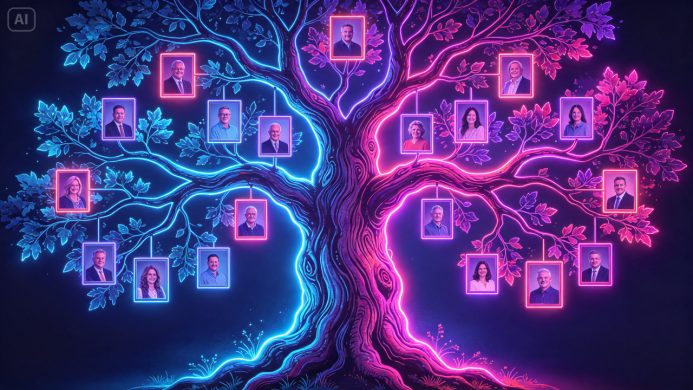

A family tree scribbled on notebook paper gets the job done, but it rarely captures the actual warmth and history behind the names it lists. Turning generations of family connection into something genuinely beautiful, worth framing and passing down, used to mean hiring a professional genealogy artist. An online AI image generator makes that kind of heirloom quality artwork achievable for anyone willing to gather their family’s story.
Dreamina, with its advanced image generation capabilities, handles this kind of meaningful, detail-rich personal project with real care. Here’s how to build a family tree that actually feels like a family’s story.
Deciding on a visual metaphor for the tree itself
Before adding any family details, choosing how the tree itself should look shapes the entire piece. Some families prefer a literal, realistic oak with sprawling branches. Others prefer a more stylized, decorative tree with flowing vines or blossoming branches. This foundational choice sets the tone for everything layered onto it afterward.
Gathering the details that make it personal
A generic tree template feels impersonal no matter how nicely it’s rendered. A few details worth incorporating for genuine meaning:
•Actual names and relationships across the generations you’re including
•A meaningful location or heritage detail tied to the family’s history
•Birth years or a specific range of decades the tree spans
•A family symbol, crest, or recurring meaningful object
Structuring generations clearly within the design
A family tree needs to communicate generational structure at a glance, even before anyone reads individual names. Organizing the composition with clear visual tiers, older generations toward the trunk or roots, younger generations extending outward along branches, keeps the genealogy legible rather than visually confusing.
Dreamina’s model lineup for this kind of personal artwork
Seedream 5.0 Pro, being Dreamina’s newest and most capable model, brings genuine strength to this kind of intricate, emotionally significant project. Its multi-layer visual control lets you separate the tree’s structure from decorative elements like portrait frames or a family crest, making it possible to adjust one without disturbing the other as the design comes together across several editing passes. Its 2K output also ensures the fine branch detail and texture that make this kind of artwork feel like a genuine heirloom hold up well even when printed at a larger size.
Nano Banana offers a quicker way to test a few different tree styles or color palettes before settling on a final direction, while GPT Image 2 provides yet another artistic interpretation worth comparing if the first attempt doesn’t quite capture the family’s feeling.
Your 3-step heirloom build with Dreamina
Step 1: Write a text prompt
Navigate to Dreamina and write a detailed text prompt describing your chosen tree style along with the generational structure and any meaningful family details you want incorporated.
For example: An elegant illustrated family tree growing from a single ancient oak trunk with deep roots, small decorative portrait ovals nestled naturally among the branches at different heights representing generations, warm autumn gold and amber color palette, heirloom illustration style.
Describing the structural layout alongside the aesthetic style is what keeps the final piece both beautiful and genuinely functional as a family record.
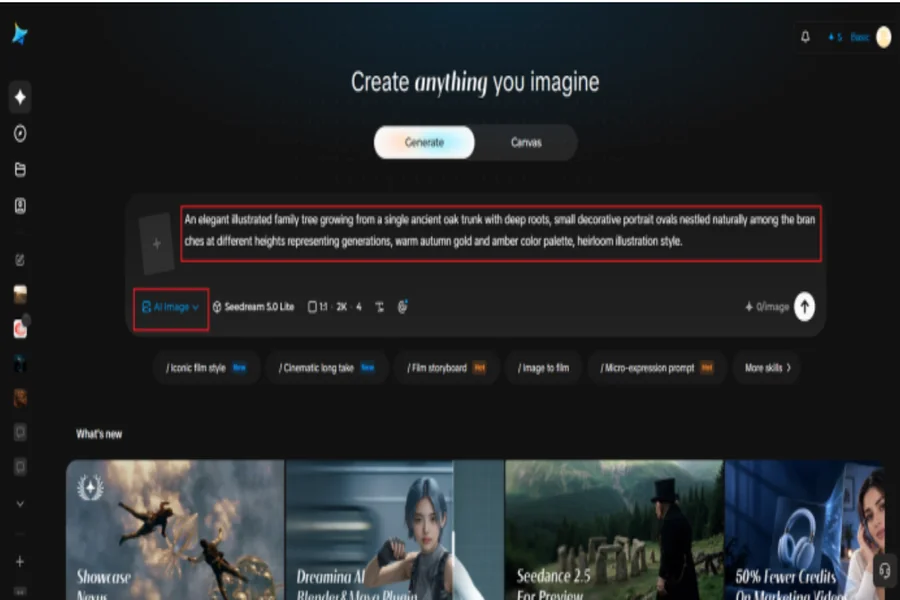
Step 2: Adjust parameters and generate
Before generating, set your parameters. Choose your model: Image 5.0 Pro by Seedream 5.0 Pro handles intricate branching detail and warm natural texture particularly well; then select your aspect ratio, image size, and resolution, using a portrait ratio for a framed keepsake and 2K resolution for crisp detail suitable for printing. Click Dreamina’s generate icon to produce your family tree artwork.
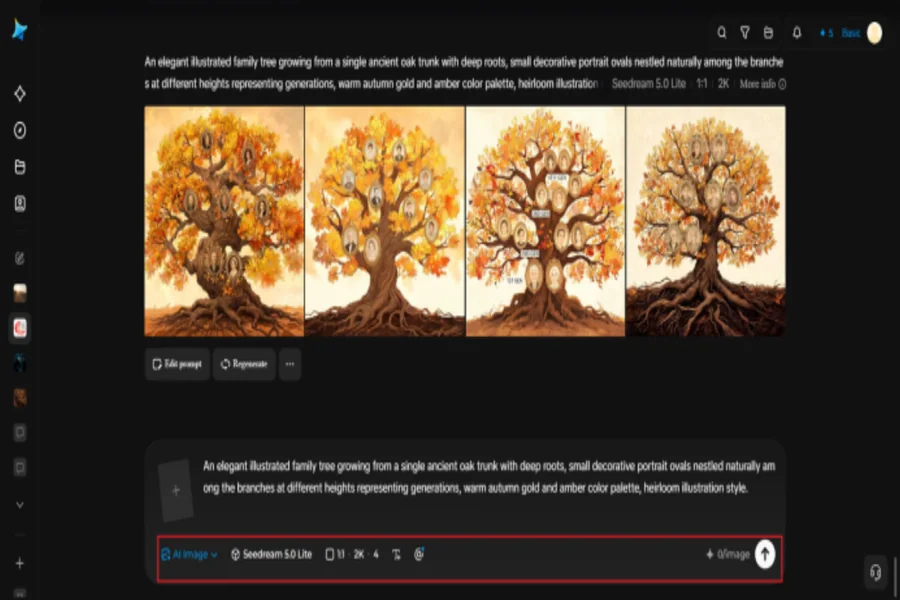
Step 3: Customize and download
Once your artwork generates, refine it using Dreamina’s AI customization tools — inpaint to adjust specific branch or portrait placement details, expand to add room for additional generations, remove to clean up anything cluttered, and retouch to strengthen overall warmth and detail. When it feels like a genuine family heirloom, click the Download icon to save it.
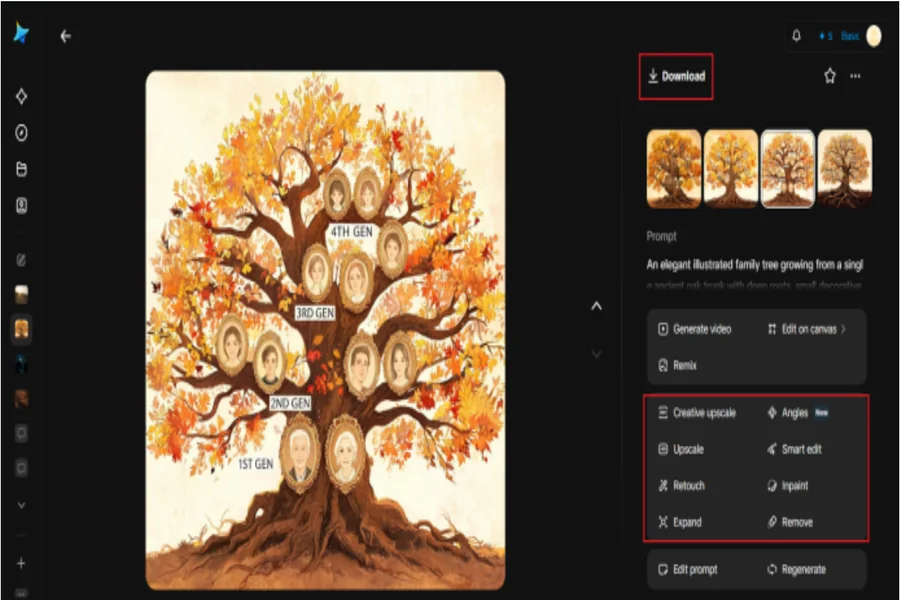
Adding names and details after the base artwork
Rather than trying to render legible text for every family member directly within the initial generation, many families find it cleaner to add names and dates afterward using simple text editing software, keeping the AI-generated artwork as a beautiful, decorative foundation rather than asking it to manage dozens of small labels at once.
Choosing a style that reflects your family’s actual heritage
Beyond a generic tree shape, incorporating stylistic elements tied to a family’s actual cultural background, specific decorative patterns, meaningful colors, regional artistic traditions, deepens the piece’s personal significance well beyond a purely decorative genealogy chart.
Turning the artwork into a lasting keepsake
Once finished, this kind of artwork holds up well as more than a digital file, printed and framed for a family gathering, included in a memory book, or given as a genuinely thoughtful gift to grandparents or extended family members who’ll appreciate seeing their story rendered with real visual care.
Occasions where this kind of artwork means the most
Personalized family tree artwork carries particular weight around specific family moments:
•Milestone family reunions and anniversary gatherings
•Gifts for grandparents documenting their legacy
•Wedding programs incorporating both families’ histories
•Memorial keepsakes honoring a family’s full history
Including branches for both sides of the family
A tree that only reflects one parent’s lineage tells half a story. Consciously balancing branches to represent both sides of a family, even if one side has a richer documented history than the other, keeps the finished piece feeling complete and fair to everyone it represents.
Deciding how many generations to include
Trying to fit too many generations into one piece can make the design feel cramped and the individual branches illegible. Focusing on three or four generations, great-grandparents through grandchildren for instance, usually produces a piece detailed enough to feel meaningful without becoming visually overwhelming.
Final thoughts
A family’s history deserves more than a plain chart, and turning generations of connection into something genuinely beautiful is now achievable using an online AI image generator built for this kind of meaningful detail.
With Dreamina and its advanced image generation capabilities, led by the intricate rendering strength of Seedream 5.0 Pro, a family’s story can take shape as a real piece of heirloom art.
Gather the details that matter most, structure the generations clearly, and let Dreamina help you build something worth passing down.