


Seeing a padlock in your browser might make you feel secure. However, the meaning of a secure connection is often misunderstood in the United States.
A “secure” label usually refers to HTTPS and TLS. This means your data is encrypted as it travels between your device and a website. It prevents others from intercepting your information on public Wi-Fi.
While encryption is crucial, it doesn’t guarantee complete privacy. Other entities can still gather information about your online activities. This includes the websites you visit, the timing of your visits, and your device’s behavior. Even encrypted data can be used for tracking and profiling purposes.
This is where a VPN becomes relevant. A VPN can mask your internet activity from your provider and reduce risks on shared networks. However, it does not completely erase your identity online. Not all VPNs offer the same level of protection, and some free services may compromise your privacy.
In the following sections, we will delve into internet security basics in simple terms. We will also explore how a VPN impacts risk for users in the United States. Additionally, we will examine VPNLY based on practical criteria such as encryption, logging policies, transparency, ease of use, speed, and its effectiveness in enhancing online privacy.
Key Takeaways
- Secure connection meaning often refers to HTTPS/TLS encryption, not full online privacy.
- Encryption can protect content in transit, while metadata and behavior can still be observed or inferred.
- Tracking can continue on “secure” sites through ads, analytics, logins, and device fingerprinting.
- A VPN may reduce ISP visibility and help on public Wi‑Fi, but it does not make you anonymous.
- Free VPN services can involve limits or privacy trade-offs, so provider trust matters.
- This article evaluates VPNLY using practical criteria, not marketing claims.
What a “Secure Connection” Really Means in Today’s Internet
When a browser indicates a “secure” connection, it means your data is safeguarded during its journey from your device to a website. This safeguard is often provided by HTTPS, which relies on TLS encryption.
This protection is a solid foundation, yet it’s crucial to understand its limitations. The distinction between HTTPS and VPN begins with grasping the true extent of the browser’s signal.
Security vs. privacy: why the browser lock icon is only part of the story
The browser padlock icon signifies that the connection to a website is encrypted, making it more difficult to intercept. It effectively blocks network snoopers from accessing or altering your data in transit.
However, it does not imply that the site refrains from collecting data. Analytics tools, ad technology, and embedded scripts can still monitor your activities once you’re on the page.
To put it simply, security focuses on preventing data interception during transit. Privacy, on the other hand, concerns who can observe and utilize your data after it reaches its destination.
Encryption in plain English: what gets protected and what doesn’t
Encryption shields the content of your activities on a site, such as forms, passwords, and messages. For most users, this is the primary advantage of HTTPS.
Yet, some information can still leak as metadata. A network can often discern timing, data size, and the fact that you connected.
Moreover, the domain you visit may be visible, depending on settings, through DNS requests. This gap is a key reason why some turn to VPNs to conceal what intermediaries can learn.
Common misconceptions: HTTPS, “private mode,” and trusted Wi‑Fi
HTTPS does not guarantee anonymity. Sites can still identify you through logins, cookies, and device fingerprinting, even with encrypted pages.
Private mode primarily restricts what’s saved on your device during that session. It does not eliminate activity from networks, employers, or service providers.
“Trusted” hotspots can be misleading. Public Wi-Fi security can be compromised in coffee shops, airports, and hotels due to rogue access points and captive portals.
Real-world risks in the United States: public hotspots, ISPs, and data brokers
In the United States, public hotspots increase the risk of spoofed networks and local monitoring. Even with encryption, patterns like where you connect and when can still be used to profile behavior.
At home, concerns about ISP tracking in the United States often revolve around visibility into routing and metadata. People wonder if a VPN changes what an ISP can see between the device and the wider internet.
The data broker market, fueled by app and website tracking, also poses a risk. A “secure connection” can protect traffic in transit while data collection continues at the edges, leading to the ongoing question about VPNs.
VPN
A VPN goes beyond a simple browser lock icon. It adds a privacy layer, essential on public networks, while keeping your daily browsing straightforward.
How it works: tunneling, address changes, and encryption
A VPN tunnel creates an encrypted path from your device to a VPN server. This is crucial when using public Wi-Fi, as it protects your data from prying eyes.
This setup changes what others can see. Your ISP sees only encrypted traffic going to the VPN provider, not the full list of sites you visit. The VPN server then connects to the website or app on your behalf.
IP masking is another key aspect. Many sites see the VPN server’s IP address instead of your home IP. This reduces location-based tracking and limits address logging across services.
When it meaningfully improves a “secure connection”
Public Wi-Fi is where a VPN shines. It shields DNS lookups and reduces hotspot operators’ ability to monitor your activity or steer you to unsafe sites.
It also limits ISP visibility. A VPN may reduce what your provider can infer about your browsing habits, though it won’t eliminate all metadata.
Limitations and trade-offs: speed, trust, and compatibility
Using a VPN can slow down your internet. Speed and latency depend on server distance, load, and your device’s protocol.
Trust is shifted, not removed. You rely on the provider’s security, logging policies, and legal response.
Compatibility can be a challenge. Some services, like banks and streaming apps, may block VPNs or require extra verification. Networks may also restrict VPN connections.
It’s not a complete solution for tracking. Cookies, logins, device fingerprinting, and shared data can still follow you, even with encrypted traffic.
Use cases for everyday users: work, travel, streaming, and safer habits
For remote work, a VPN provides a steady security layer on various networks. It’s especially useful when corporate tools don’t cover all apps. It’s also handy when moving between different networks.
Traveling? IP masking can reduce routine exposure while handling email, bookings, and work files on unfamiliar Wi-Fi. For streaming, a VPN may help with location-based access, but results vary.
For safer browsing, a VPN is just one part of a comprehensive security routine. Strong passwords, multi-factor authentication, updates, and phishing awareness are crucial for overall security.
Product Review: VPNLY (vpnly.com) and the “Free VPN” Question
This VPN product review delves into VPNLY with a practical perspective. It examines what it promises and what any VPN can’t guarantee. The basic concept is straightforward: an encrypted tunnel to reduce exposure on shared networks and hide your IP. This can enhance safety while browsing, but it doesn’t eliminate web tracking or account-level identification.
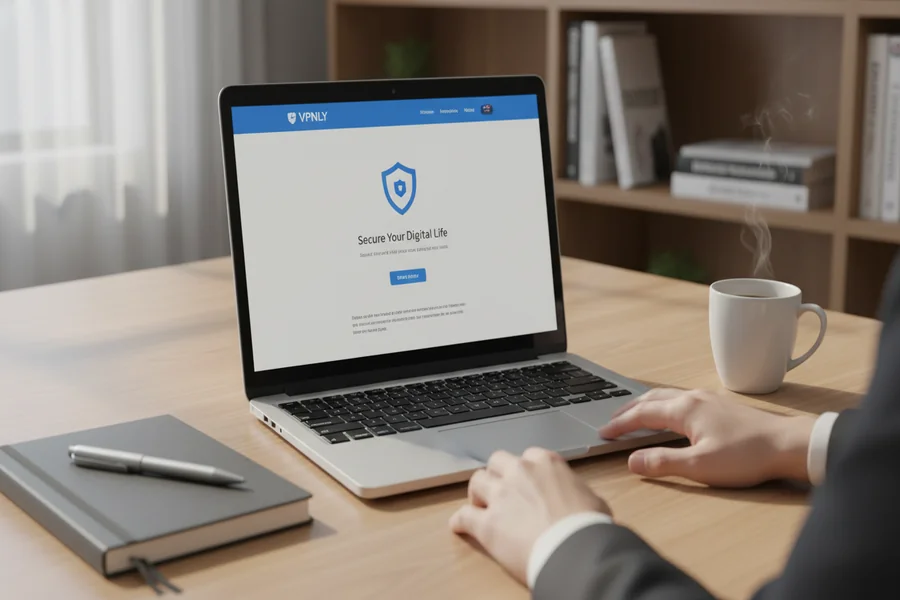
Overview of VPNLY: positioning, core promise, and who it’s for
VPNLY targets individuals seeking basic protection on public Wi-Fi at an affordable price. In the U.S., this includes travelers, remote workers, and those frequently using public Wi-Fi. The appeal lies in its free VPN option, ideal for occasional, light use.
Feature checklist to evaluate: encryption, protocols, kill switch, logging stance, and servers
First, assess the encryption method to ensure data security during transit. Next, evaluate protocol options, as they impact speed, stability, and network compatibility.
A kill switch is crucial for preventing data leaks if the VPN connection drops. The logging stance is equally important, with clear policies on data collection, such as IP addresses and timestamps. Lastly, consider server locations, capacity, and app support for various platforms.
Free VPN considerations: data caps, privacy trade-offs, ads, and sustainability
Free VPNs often come with limitations, including data caps, fewer server options, and slower speeds. Some may display ads or offer upsells, affecting privacy.
Therefore, scrutinize any free VPN’s terms and conditions closely. If it relies on tracking or broad data sharing, privacy benefits may diminish rapidly.
What to look for before trusting any provider: transparency, policies, and independent signals
Before using VPNLY or any VPN, thoroughly review the privacy policy and terms. Pay attention to data retention, sharing policies, and ownership details. Also, consider the company’s location and support access.
Independent signals include credible security research and verifiable practices. Look for regular app updates, clear change logs, DNS leak protection, and consistent kill switch behavior during network changes.
How VPNLY fits typical U.S. user needs: privacy expectations and practical scenarios
For users of public Wi-Fi in airports and hotels, VPNLY’s ease of use and connection stability are key. It can reduce ISP visibility, but it doesn’t prevent tracking in logged-in apps or block cookies.
For streaming and travel, consider server options, congestion, and regional routing. Evaluate vpnly.com based on speed consistency, server availability, and everyday reliability, rather than unrealistic promises of complete anonymity.
Conclusion
Secure connection explained often refers to encrypted transport, like HTTPS. However, it does not guarantee complete privacy. Websites can still track you, apps share data, and your network reveals patterns.
A VPN adds a layer of security by encrypting your traffic to a VPN server. It conceals your IP address from many locations. It’s particularly useful on public Wi-Fi, during travel, and for daily privacy maintenance. Yet, it doesn’t solve all tracking issues or the data broker economy’s problems.
When evaluating any service, including VPNs, look for clear ownership, a strict logging policy, and essential features like a kill switch and leak protection. Free services often come with ads, thin support, and unclear data handling. If the details are unclear, it’s best to look elsewhere.
Choose the right tool for the job. A VPN is a good start for safer browsing. But it works best when combined with other security measures. These include tighter browser settings, limiting app tracking, strong passwords, and multi-factor authentication. This combination turns a “secure” label into actual protection.