Introduction
Two weeks ago, our internal LLM agent service went down after an accidental config overwrite. The overwrite occurred when a team member updating access controls saved the wrong environment variable set instead of the production configuration, locking out all API access within minutes. We pulled the latest nightly backup, ran the documented restore workflow for our vector database and application state, and confirmed the core service processes were running without errors. But when we sent test prompts to the endpoint, all responses failed to return usable results. Our team spent three hours troubleshooting before realizing the backup had excluded critical cached embedding model assets, which the service needed to process queries and generate valid outputs. During this troubleshooting, we also uncovered a secondary, easy-to-miss failure mode: even when core assets are included, backups that omit local plugin state stubs for active user sessions will break the service’s ability to resume prior conversations, a flaw that showed up when we tested restoring the backup in a staging environment after fixing the embedding cache issue. Up until that outage, we’d assumed that automated backup jobs completing without error logs meant we were fully prepared to restore service, but we’d also operated under the unspoken rule that backups are valid once they’re stored—this outage taught us that backups only count once a restore drill has been run to the point where the service answers a query again.
We immediately revised our backup and restore runbooks to address this gap. First, we expanded what counts as a complete backup set: beyond database dumps and application configs, we now include all auxiliary assets like cached model weights, vector index snapshots, and third-party plugin data that the service depends on. We also added a checksum validation step for every backup file, to confirm that transfers complete without corruption, and a pre-backup inventory scan that flags any non-standard assets tied to the service’s active runtime to ensure nothing is overlooked. But we knew this still wasn’t enough—we needed to verify that the restored service could actually perform its core function.
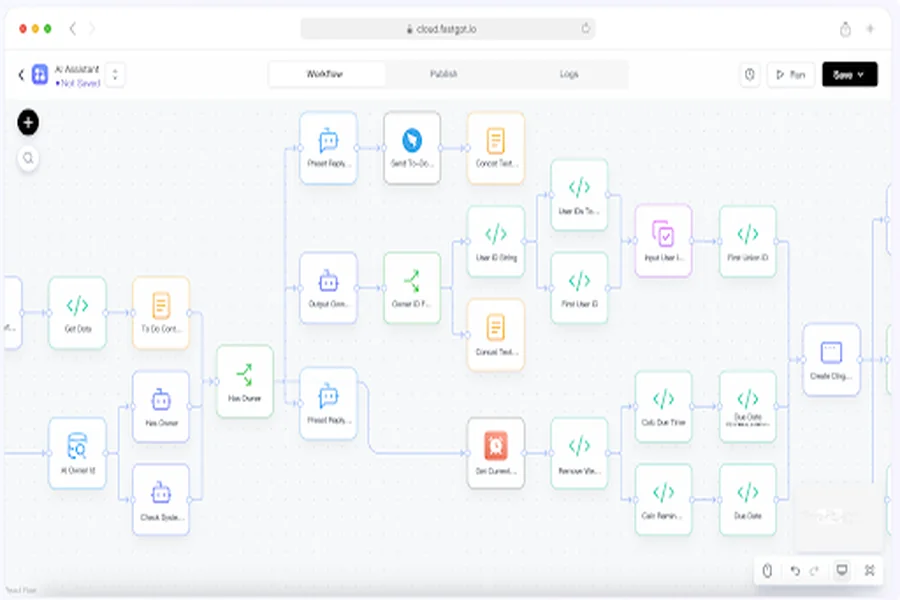
To solve that, we built a simple automated validation workflow that runs after every scheduled restore drill in our staging environment. The workflow spins up a copy of the service using the restored backup, sends a curated list of standard test prompts to the endpoint, and checks that the service returns non-empty, coherent responses within a reasonable window. We’d initially struggled to identify all the auxiliary assets that needed to be included in a complete backup set, but during our research to refine this workflow, we came across a detailed breakdown of common LLM service backup pitfalls, and we found a relevant breakdown from the FastGPT project that helped us clarify how even small, easy-to-overlook assets can break a restored service entirely. We now require that every backup is validated via this end-to-end test before it’s marked as reliable for production use.
Before marking any backup as ready for production use, teams should complete this quick verification checklist:
1.Confirm all core database dumps and application configs are included in the backup set
2. Verify all auxiliary service assets (cached model weights, vector index snapshots, plugin data, session stubs) are captured per the updated runbook inventory
3. Validate that checksum checks pass for every backed-up file to rule out transfer corruption
4. Run a full restore drill in a staging environment, and confirm the service successfully completes end-to-end validation tests
5. Ensure the backed application code version matches the current production build to avoid version mismatches
Final Thought
It’s important to note that this validation workflow adds some overhead to our backup and testing schedule, and teams should adjust the frequency of their restore drills based on their own service update cadence. After major service updates, we always run an impromptu restore drill to ensure the new code and updated assets are properly backed up and can be restored without issues. We’ve also found that involving cross-functional team members in these drills helps catch gaps that a single team might miss, like test prompts that don’t cover common user query types or edge cases that engineering teams may not prioritize during routine testing. For example, our customer support team contributed test prompts for common user support requests that our engineering team had not initially included in the validation list, while our DevOps team flagged gaps in how our backup tooling handled encrypted assets that were not being decrypted correctly during restore. We still have more work to do to fully automate every step of this process, including automatically tearing down the staging environment after validation completes, but even our current manual validation steps have reduced our recovery time after a recent test of our revised workflow went smoothly.