


Tech jargon, like “the cloud,” “cookies,” “phishing,” and “digital footprint,” seems simple but conceals complex issues. These terms can obscure the true nature of how our personal data is handled. When these phrases are unclear, our digital privacy can become an afterthought.
In the United States, smartphones have taken over tasks once handled by laptops. We bank, shop, and communicate through Slack, all while navigating between different networks. This reality underscores the importance of online safety as a daily necessity, not just a concern for IT professionals.
This article aims to demystify cybersecurity basics, focusing on Android privacy and data protection. It then links these concepts to free vpns for android, highlighting their benefits and limitations.
While a VPN can enhance privacy on public networks and during online transactions, it’s not a panacea. It won’t address weak passwords, all scams, or risky apps. When considering free vpns for android, it’s crucial to understand the trade-offs—data caps, ads, logging, fewer servers, and missing features.
Key Takeaways
- Tech idioms can blur real risks to digital privacy and data protection.
- Smartphone-first life in the U.S. makes online safety practical, not abstract.
- This guide explains cybersecurity basics in plain terms before discussing free vpns for android.
- A VPN can help protect traffic on Wi‑Fi, but it’s not a cure-all for tracking or scams.
- Android privacy depends on more than one tool, including safer app habits and settings.
- Free plans come with limits like caps, ads, and server restrictions that affect real-world use.
Why Tech Idioms Matter for Online Safety and Privacy
Tech phrases might seem simple, but they influence how we perceive risk. Understanding privacy metaphors helps us move beyond intuition. This is crucial when evaluating the effectiveness of free VPNs in protecting our data.
“The Cloud”: What It Really Means for Your Data Storage and Exposure
“The cloud” refers to data storage on servers owned by companies like Google and Apple. Accessing your files requires an account, password, and internet connection. This convenience, however, makes cloud storage vulnerable to human errors.
Common vulnerabilities include weak passwords and compromised devices. While providers enhance security, protecting your account is your responsibility. Using strong passwords, enabling multi-factor authentication, and regularly clearing device sign-ins can significantly reduce risks.
“Digital Footprint”: How Everyday Browsing Leaves Trackable Trails
Your digital footprint is constructed from every click and tap. Websites can track your IP address and browser details, while apps collect telemetry and ad identifiers. This tracking is not a single tool but a collection of signals.
Some data is first-party, directly tied to your chosen websites. However, third-party data, collected by trackers, can follow you across different sites and apps. This can lead to more targeted advertising and persistent profiles that are difficult to erase.
“Encryption”: Turning Sensitive Info Into Unreadable Code
Encryption transforms readable data into unreadable code that only a specific key can decipher. It’s essential for protecting data in transit and at rest. However, it’s not foolproof against all threats.
Encryption won’t safeguard against malware or phishing scams. It’s crucial to understand its limitations and use it in conjunction with other security measures.
“Cookies”: Convenience vs. Cross-Site Tracking
Cookies are small data pieces that remember your preferences and keep you signed in. They also aid in analytics and advertising, which can lead to cross-site tracking. This tracking can build a detailed profile of your online behavior.
Browser settings can limit some tracking, but private browsing has its own limitations. It’s important to understand what you’re agreeing to when you see consent banners. This knowledge empowers you to make informed choices about your privacy.
“Phishing”: The Old Idiom of “Bait” in Modern Social Engineering
Phishing scams use urgent messages to trick you into revealing sensitive information. These scams can appear in emails, texts, and social media messages. They often mimic legitimate brands to gain your trust.
While tools like VPNs can hide some information, they don’t protect against phishing. It’s essential to verify the authenticity of messages and use built-in security features on your devices.
How free vpns for android Fit Into These Modern Privacy Metaphors
Tech idioms simplify privacy, but true protection is complex. An Android VPN app enhances browsing safety, yet it can’t erase your digital trail. It’s just one tool in a comprehensive mobile privacy arsenal.

VPNs as “Tunnels”: What Traffic Encryption Does (and Doesn’t) Hide
A VPN encryption tunnel secures data between your phone and a VPN server. This can limit what a coffee shop network or nearby snoops can intercept. It’s a practical advantage for mobile users.
However, the tunnel has limitations. Websites can still track your activities on their pages, and apps may send identifiers. If you’re logged into Google, Meta, or Amazon, your activities can be linked to you.
“Masking” Your IP Address: What Changes for Advertisers, ISPs, and Sites
IP masking changes the address websites see. Instead of your IP, they see the VPN server’s. This reduces location hints and makes simple profiling harder.
Your ISP might detect you’re using a VPN, but it can’t easily read each site you visit inside the encrypted stream. Advertisers may still track you through cookies, device IDs, and app sign-ins. So, a VPN isn’t a complete anti-tracking shield.
“Public Wi‑Fi Is the Wild West”: Why VPNs Matter on Shared Networks
Shared hotspots can be risky. Some are poorly secured, and others may watch your traffic or push fake login pages. Public Wi-Fi security often hinges on limiting what strangers can intercept.
With free vpns for android, the encrypted route can reduce exposure on open networks. This is especially true when an app or site is misconfigured. It also makes passive monitoring less valuable, as the data in transit is harder to read.
Android-Specific Privacy Gaps a VPN Can Help Cover
Android phones switch networks all day—home, work, cellular, and public Wi-Fi. Each switch is a new chance for data to travel through systems you don’t control. A solid Android VPN app can maintain a consistent encrypted path during these handoffs.
Many devices also support “always-on VPN” and options that block traffic if the VPN drops. Settings vary by Android version and provider, but they can enhance mobile privacy protection when you travel or commute.
Limits of Free VPNs: The Fine Print Behind “Free”
Free plans often come with tradeoffs: data caps, slower speeds, fewer server locations, and peak-time congestion. Some features may be missing, like a kill switch, split tunneling, or newer protocols. This can impact both speed and reliability.
Privacy terms are crucial. Some free services rely on ads, broad “analytics” language, or unclear logging policies. When comparing free vpns for android, it’s important to watch what data is collected, how long it’s kept, and what control you have over it.
Product Review: Best Free VPNs for Android and What to Look For
Choosing the best free VPNs for Android requires more than just a glance. A thorough review should focus on privacy fundamentals and the capabilities of the free tier on mobile devices. It’s about what you can verify repeatedly.
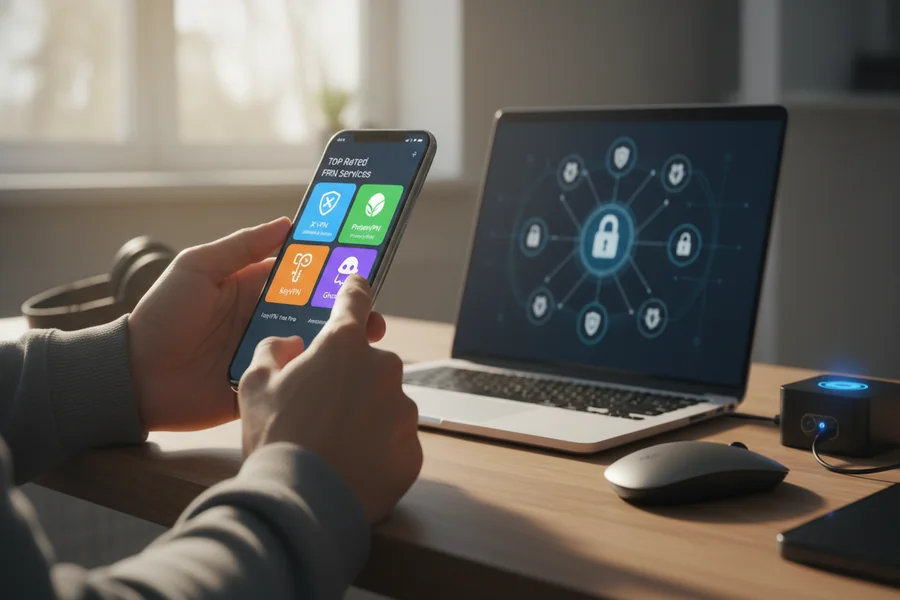
Begin by scrutinizing the VPN privacy policy, treating it as a detailed receipt. Ensure it outlines the data collected, its purpose, retention period, and sharing practices. A reputable no-logs VPN should clearly distinguish between connection and activity logs, avoiding ambiguity.
Next, assess the VPN’s speed, stability, and impact on battery life. Free plans often experience slower speeds on LTE and 5G due to server congestion. Also, evaluate server access, including the number of regions available and whether the app automatically selects servers.
Data caps are crucial. Some free tiers cut off access once a limit is reached, while others slow down speeds until the next billing cycle. This significantly impacts the “free” experience, especially during regular browsing and app updates.
Security features are more critical than a vast server list. An effective Android VPN kill switch should halt traffic if the connection drops. It works best when combined with Android’s always-on and block-without-VPN settings. DNS leak protection is equally vital, as it prevents DNS requests from revealing your browsing activities.
Protocol support is another key factor. WireGuard is often faster on mobile devices, while OpenVPN is reliable on challenging networks. Providers that obscure protocol details make it challenging to assess performance and potential risks.
Align the free tier with your needs. For streaming, free plans may offer limited locations and struggle with major platforms, affecting reliability. For everyday browsing, prioritize leak resistance, clear logging policies, and consistent connections over additional features.
For banking, consider the VPN as a single layer of protection, not a complete shield. Stability and consistent routing are more important than location changes. Secure practices, such as using official apps, HTTPS, and keeping your OS updated, are still essential. A no-logs VPN claim is meaningless if the app is unreliable when you need it most.
Be wary of red flags in the fine print. “Unlimited” bandwidth without a clear business model is a warning sign, especially if the app is filled with aggressive ads or trackers. Be cautious of excessive permissions, like access to contacts or SMS, unless there’s a clear justification.
When comparing options, verify details across multiple sources and the provider’s own documentation. freevpnmentor.com and VPNmentor can highlight patterns in limitations and user experiences. However, always confirm the current free-tier rules in the app listing and the VPN privacy policy before making a decision.
Conclusion
Tech idioms often seem unclear, yet they highlight genuine dangers. The cloud is essentially another person’s server. Cookies track you across different websites. Encryption secures data during transmission, while a digital footprint records your activities. Phishing scams deceive users with a single, hasty click.
Free vpns for android can offer some protection, but they’re not a complete solution. They’re most beneficial on public Wi-Fi, where they can block snooping and basic tracking. They also hide your IP address, enhancing Android online privacy during regular browsing. However, a VPN cannot prevent phishing attacks or make you completely invisible.
To identify the best free vpns, refer to a VPN safety checklist. Look for a transparent privacy policy, minimal logging, and up-to-date protocols. Choose options with DNS leak protection and a reliable kill switch if available. Keep in mind that free tiers often have data limits, fewer servers, and slower speeds.
Before installing, compare different options carefully, including those listed on VPNmentor. Select the free tier that aligns with your phone usage, such as travel, online banking, or quick browsing at cafes. Be cautious of “unlimited” claims, as the true costs may include ads, data collection, or weak security.