

The best AI writing tools in 2026 are all-in-one workspaces and specialized assistants that draft, rewrite, summarize, and optimize content in minutes. Top options include Eliten for an all-in-one text workspace, ChatGPT and Claude for general writing, Jasper for marketing teams, Surfer SEO for search optimization, and Grammarly for AI-assisted editing. The right pick depends on your specific writing tasks, not on which tool is “most powerful.”
Two years ago, most AI writing software was interchangeable: a chat box, a prompt, and a block of text back. That era is over. In 2026, AI writing tools have split into distinct categories — general-purpose assistants, marketing platforms, SEO editors, creative writing suites, and dedicated grammar checkers — and choosing the wrong one wastes both money and time. This guide walks through the best AI writing tools available today, how they differ, what they cost, and how to match a tool to the way you actually work.
We wrote this for people who write for a living or close to it: content marketers, bloggers, freelance writers, fiction writers, students, and small marketing teams. Every tool below has been placed in the category where it genuinely performs best, with honest notes on trade-offs, so you can shortlist quickly instead of testing a dozen apps. You do not need to read the whole guide front to back — jump to the category that matches your writing, check the pricing table, and start with a free plan before you commit. The aim is to save you weeks of trial and error and get you writing with the right tool sooner.
What are AI writing tools?
AI writing tools are software applications that use artificial intelligence to help you draft, rewrite, edit, summarize, and optimize written content. Most run on large language models trained on billions of words, and most are built around a chat interface where you describe what you need and the tool generates a response. Some AI writing tools are broad, general assistants; others are narrow platforms tuned for one job, such as SEO research or a grammar checker.
The category has evolved fast. Early AI writers were generic text generators that produced serviceable but flat copy. Today’s AI writing tools have become specialized platforms with brand voice controls, real-time SEO guidance, plagiarism detection, and workflow features that manage the entire writing process from idea to publish-ready draft. That specialization is exactly why a single “best” tool no longer exists — the best AI writing tool is the one that solves your specific workflow problem.
How do AI writing tools work?
Nearly all AI writing tools are built on large language models (LLMs). These models are trained on enormous amounts of text — books, articles, websites, and more — which lets them predict and generate natural-sounding language. When you type a prompt, the model uses natural language processing to interpret your request and produce writing that matches the style, tone, and format you asked for.
Because most AI writing tools use the same underlying technology, the differences between them are rarely about raw intelligence. They come from the layer built on top: templates and use cases, brand voice settings, SEO integrations, editing tools, and how well the interface fits into your writing workflow. A general chatbot and a marketing platform might call the same class of model behind the scenes, yet feel completely different to use.
One important caveat: AI writing tools can produce content that sounds authoritative while containing subtle factual errors. LLMs generate plausible text, not verified truth. That is why the strongest results always come from a cycle of AI generation followed by human editorial judgment — a point we return to later in this guide.
How AI writing tools have evolved
The publishing industry is evolving rapidly with the help of AI in publishing, making content creation, editing, research, and distribution more efficient. AI tools can help publishers analyze audiences, improve content quality, and streamline repetitive tasks. However, human creativity and editorial judgment remain essential for maintaining originality, accuracy, and quality.
It helps to understand how quickly this category has changed, because it explains why the best AI writing tools look so different from one another today. The first generation of AI writers were generic text generators: you gave a prompt, and large language models returned a block of passable but forgettable copy. They were novel, but they produced roughly the same output regardless of what you were trying to write.
The current generation is specialized. AI writing tools have evolved from those generic generators into purpose-built platforms, each optimized for a particular kind of writing — marketing copy, SEO content, fiction, or editing. The underlying large language models and natural language processing improved, but the bigger shift was in the software layer: brand voice controls, real-time SEO research, plagiarism checking, and workflow features that help you produce high quality content rather than just more of it. Understanding that history matters because it reframes the buying decision. You are no longer choosing which AI tool is “smartest”; you are choosing which writing tools best fit the type of writing you do.
How we chose the best AI writing tools
We evaluated each AI writer against the criteria that matter most to working writers rather than headline benchmarks. Specifically, we looked at output quality across different writing tasks, breadth of features and editing tools, ease of fitting the tool into a real writing workflow, pricing and value on both free and paid plans, and how well each tool serves a clearly defined use case. We prioritized tools that solve a genuine workflow problem over tools that simply generate the most text.
Prices below reflect publicly listed rates as of 2026 and are quoted per month; AI writing tool pricing changes often, so confirm current figures on each vendor’s site before you buy. Most AI writing tools cost between roughly $9 and $89 per month, with free plans widely available for testing.
The best AI writing tools in 2026
1. Eliten — Best all-in-one AI writing workspace
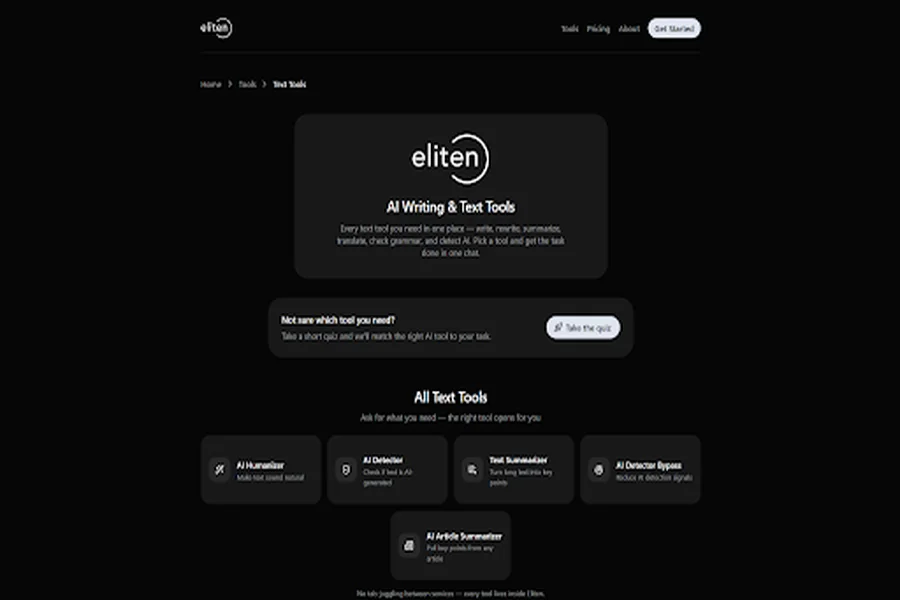
Eliten brings a full set of text tools into a single chat workspace, which is what earns it the top spot for writers who are tired of juggling tabs. Instead of subscribing to one app for humanizing, another for summarizing, and a third for grammar, you ask for what you need and the right tool opens inside the same interface. The text suite covers writing from scratch, rewriting, summarizing, translating, grammar checking, and AI detection, alongside an AI Humanizer, AI Detector, Text Summarizer, and Article Summarizer.
What sets Eliten apart from most other AI tools is the workspace model paired with a built-in coach that guides newer users toward the right tool for the task — useful if you find the blank page or a wall of tool options intimidating. For anyone who wants to write content, clean it up, and check it without leaving one screen, it removes the friction of switching between services. Eliten runs on a freemium model, so you can start without committing to a paid plan and scale up as your needs grow.
Best for: writers, students, and small teams who want one workspace covering the whole writing process. Trade-off: as a broad all-in-one tool, it is less specialized than a dedicated enterprise SEO or fiction platform for that single job.
2. ChatGPT — Best free general-purpose AI writer
ChatGPT remains the default entry point into AI writing for millions of people, and for good reason: it is versatile, fast, and genuinely capable across almost every writing task, from blog posts to marketing copy to brainstorming ideas. Its free version is one of the most capable free AI writing tools available, which makes it an ideal place to start before you pay for anything more specialized.
The flexibility is also its limitation. ChatGPT is a general assistant, not a purpose-built content platform, so it lacks native SEO research, structured brand voice settings, and the guardrails that marketing teams often need. For drafting, ideation, and overcoming writer’s block, it is hard to beat. For a repeatable content marketing workflow at scale, you will usually pair it with other tools. ChatGPT Plus is around $20 per month, though the free plan covers a great deal of everyday writing.
Best for: general writing, brainstorming, and drafting on a budget. Trade-off: no built-in SEO or brand voice tooling.
3. Claude — Best for long-form content and nuanced writing
Claude, from Anthropic, has built a strong reputation among writers who care about tone, nuance, and long-form content. It handles large amounts of context well, which makes it a natural fit for drafting long articles, working through book chapters, or synthesizing closed source material you paste in. Alongside ChatGPT, it is frequently cited as one of the best free AI writing tools, with a capable free tier and a paid plan for heavier use.
Writers tend to reach for Claude when they want prose that reads less mechanically and holds a consistent voice across a longer piece. Like any general assistant, it is not a dedicated SEO or marketing platform, so search-focused teams will still want a specialized editing tool for on-page optimization. As a drafting and refining partner for substantial writing, though, it is one of the strongest AI writers on the market.
Best for: long-form drafting, nuanced tone, and research-heavy writing. Trade-off: general-purpose, so no native keyword research or SEO scoring.
4. Jasper — Best for marketing teams and brand voice at scale
Jasper is the AI writing platform most associated with business content at scale. It is popular with marketing teams because it pairs content generation with brand voice controls, campaign workflows, and collaboration features, so a team can produce on-brand marketing copy, ad copy, and blog posts without every piece drifting in tone. The brand voice feature is a genuine differentiator: you train it once and apply a unique brand voice across everything you create.
Jasper sits in the premium tier. There is no permanent free plan — only a 7-day trial — and pricing starts around $39 per month for individual Creator access (billed annually), with a Pro tier at about $69 per month per seat and custom Business pricing above that. For a solo blogger that is a lot; for a marketing team producing high volumes of content where consistency matters, it can pay for itself quickly.
Best for: marketing teams producing on-brand content at scale. Trade-off: premium pricing and no free plan make it overkill for occasional writers.
5. Surfer SEO — Best for SEO-optimized content
If your goal is ranking in search engines, Surfer SEO is the specialist. Rather than just generating text, it provides real-time SEO guidance while you draft, scoring your content against top-ranking pages and suggesting the terms, headings, and structure that help a page compete. It combines keyword research, a content editor, and SEO research into one workflow, so writers can produce SEO-ready articles without guessing at optimization.
Surfer renamed and restructured its plans in 2026, so third-party prices vary; entry-level access starts around $49 per month, with the core content-optimization tier landing near $99 per month, and several features sold as add-ons. It is not a general AI writer — you bring the words, or generate them elsewhere, and Surfer tells you how to optimize them. For SEO content creation, that focus is exactly the point.
Best for: optimizing text for search engines and SEO research. Trade-off: built for optimization, not general drafting; add-ons raise the real cost.
6. Grammarly — Best AI grammar checker and editing tool
Grammarly is the best-known grammar checker, and its AI features have pushed it well beyond spotting typos. It now offers full-sentence rewrites, tone adjustment, clarity suggestions, plagiarism detection, and AI-text detection, which makes it one of the strongest editing tools for polishing your own writing. It works inside Google Docs, Microsoft Word, email, and the browser, so it improves your writing wherever you already work.
Grammarly’s free version handles basic grammar and spelling well. The paid tier — now called Pro (formerly Premium) — is about $12 per month billed annually or $30 month to month, and adds the advanced rewriting and detection features. (Grammarly’s parent company rebranded to Superhuman in late 2025, but the writing product is still Grammarly.) It does not generate long form content from scratch, so treat it as a polish-and-edit layer on top of whatever AI writer you draft with.
Best for: grammar, clarity, and final polish on your own writing. Trade-off: an editing tool, not a drafting tool — it refines rather than generates.
7. Rytr — Best budget AI writer for short-form content
Rytr has earned a loyal following by being fast, simple, and cheap. Used by millions of writers and marketers, it offers more than 40 templates and use cases covering short form content like social media posts, product descriptions, ad copy, and email templates. For repetitive, structured writing tasks, the templates remove the need for careful prompt engineering — you pick a use case, add a few details, and generate.
Rytr’s free plan gives you around 10,000 characters per month, enough to evaluate the tool properly. Paid pricing starts at about $9 per month for the Unlimited plan, with a Premium tier near $29 per month for multi-language and multi-brand needs — genuinely affordable next to most competitors. The main limitation is long form content: Rytr is excellent for short pieces but tends to feel stitched together on longer blog posts, which need more editing to reach publication quality.
Best for: short-form marketing copy on a tight budget. Trade-off: weaker on long-form articles; expect meaningful editing there.
8. Sudowrite — Best for fiction and creative writing
Sudowrite is designed specifically for creative writing and fiction, which makes it the standout choice for novelists and screenwriters. Where most AI writing tools optimize for marketing or SEO, Sudowrite focuses on the craft of storytelling: developing characters, generating dialogue, describing scenes, and pushing past creative blocks. For authors writing fiction, it feels built for the job in a way general tools do not.
If you write fiction seriously, a creative writing tool like Sudowrite fits your workflow far better than a marketing platform ever will. If you mostly write business content, it is the wrong tool — its strengths are in narrative, not conversion copy. That specialization is the whole appeal: it is a tool for people writing fiction, not a general drafting tool wearing a creative label.
Best for: fiction writers, novelists, and screenwriters. Trade-off: narrowly focused on creative work, not business or SEO content.
9. HaloMate — Best multi-model AI writing workspace
HaloMate takes a different approach: instead of one model, it lets you work with several — including GPT, Claude, and Gemini — inside a single workspace, switching between them without rebuilding context. You create reusable AI assistants (“Mates”) with their own personas and memory, so a Writer assistant can remember your style while an Editor assistant holds your quality standards across projects. For writers who like comparing outputs from different large language models, it consolidates the workflow into one place.
Like other workspace-style tools, HaloMate’s value is in reducing context switching rather than inventing new capability — the intelligence comes from the underlying models. It is a strong option for power users who already juggle multiple AI subscriptions and want them unified, and a reasonable alternative to consider alongside other all-in-one workspaces.
Best for: power users who want multiple AI models in one workspace. Trade-off: more setup than a single-model tool; aimed at heavier users.
Other AI writing tools worth knowing
A few more tools round out the landscape depending on your needs. Copy.ai and Writesonic are versatile marketing-focused AI writers with template libraries similar to Rytr’s, useful for teams generating high volumes of marketing copy. Notion AI lives inside the Notion workspace and is a convenient AI writing assistant if your notes and documents already live there. HyperWrite works in real time across your browser tabs, predicting and drafting as you write in Gmail, Google Docs, and other apps. None of these are the single best AI writing tool on their own, but each is a versatile tool that can slot neatly into the right workflow.
AI writing tools compared: pricing at a glance
The table below summarizes where each tool fits and what it costs. Pricing is per month and reflects listed 2026 rates; always confirm current numbers before subscribing.
| Tool | Best for | Free plan | Paid pricing (from) |
| Eliten | All-in-one text workspace | Freemium (start without paying) | Freemium; paid tiers available |
| ChatGPT | General writing on a budget | Yes | ~$20/mo (Plus) |
| Claude | Long-form, nuanced writing | Yes | Paid tier for heavy use |
| Jasper | Marketing teams at scale | No (7-day trial) | ~$39/mo Creator; ~$69/mo Pro |
| Surfer SEO | SEO content optimization | No (money-back guarantee) | ~$49–$99/mo by tier |
| Grammarly | Grammar and editing | Yes | ~$12/mo (Pro, annual) |
| Rytr | Short-form marketing copy | Yes (10k chars/mo) | ~$9/mo (Unlimited) |
| Sudowrite | Fiction and creative writing | Trial available | Paid plans by word volume |
| HaloMate | Multi-model workspace | Trial/free tier | Paid plans available |
A quick read of this table shows the pattern: general assistants and grammar checkers offer strong free versions, marketing and SEO platforms sit at the premium end, and all-in-one workspaces aim to replace several subscriptions at once. Start with what is free, then pay only for the specialized capability you actually use.
How to choose the best AI writing tool for your needs
There is no universal winner, so the smarter question is which AI writing tool fits your workflow. Selecting a writing tool usually starts with understanding the specific type of writing you do most, then matching a tool to it. Use these principles to narrow the field quickly.
Match the tool to your writing task
The fastest way to choose is by the job you need done. AI tools now offer targeted solutions for marketing content, creative writing, and academic work, and picking by task beats picking by brand name.
- Marketing and content marketing: a platform with brand voice and templates such as Jasper, or budget-friendly Rytr for short form content.
- SEO content creation: an SEO editor like Surfer SEO that gives real-time optimization guidance.
- Creative writing and fiction: a dedicated creative writing tool such as Sudowrite.
- General drafting and ideation: a flexible tool like ChatGPT or Claude.
- Editing and proofreading: a grammar checker like Grammarly.
- Everything in one place: an all-in-one workspace such as Eliten.
Start with free AI tools before paying
Because most AI writing tools use the same underlying technology, you can learn a lot without spending anything. Start with free AI tools — ChatGPT, Claude, or a freemium workspace — and get a feel for how AI writing assistance fits your process. Only upgrade to paid plans once you know exactly which advanced features you need, whether that is brand voice settings, SEO research, or higher usage limits. This approach saves money and prevents you from paying for a versatile tool you will barely use.
Evaluate tools by the problem they solve
The best AI writing tool is the one that removes a real bottleneck in your writing workflow. If your problem is a blank page, you need a drafting tool that helps you start writing. If your problem is ranking, you need SEO guidance. If your problem is scattered subscriptions, you need a workspace that consolidates them. Evaluate AI tools by their ability to solve your workflow problem, not by their feature count. A tool with fewer, sharper features that fits your process will beat a bloated one that does not.
How to get the most out of AI writing tools
Owning a great AI writer is not the same as writing well with it. The teams and individuals who get the strongest results treat AI as one stage in a process, not a replacement for the whole thing.
Use the generation, editing, and polish cycle
Effective AI writing follows a repeatable cycle: generation, human editing, and final polish. You use the AI writer to produce a first draft or overcome writer’s block, then apply your own editorial judgment to fix structure, accuracy, and voice, and finally run the piece through an editing tool for grammar and clarity. AI can accelerate the writing process dramatically, but the human editing stage is what turns raw output into high quality content. Plan for it: editing AI-generated content often takes a meaningful share of total writing time — commonly cited in the 30–60% range, and higher for long-form pieces — so budget that time rather than assuming the draft is finished.
Keep human editorial judgment in the loop
AI-generated content can sound confident and still be wrong. Because LLMs generate plausible language rather than verified facts, they can introduce subtle factual errors that read perfectly. Always fact-check statistics, names, and claims before publishing, and never ship AI output unread. The goal is to let AI handle speed and volume while you own accuracy and meaning. Used this way, AI writing tools can reduce content creation time substantially without sacrificing quality.
Maintain a consistent brand voice
For businesses and marketing teams, consistency is everything. AI writing tools can help maintain a consistent brand voice across blog posts, social media posts, ad copy, and email, but only if you set them up to do so. Tools with brand voice settings — Jasper’s brand voice feature is the clearest example — let you define your tone once and apply it everywhere. If your tool lacks that feature, keep a short style guide and paste it into your prompt so every piece of AI content lands in the same voice.
Use AI across the whole writing workflow, not just drafting
The most valuable use of AI is not only generating text. AI writing tools can assist with brainstorming ideas, outlining, dialogue, research, and drafting, then optimize existing content for clarity and SEO afterward. Deep research capabilities in newer tools can even cross-reference multiple scholarly sources to support evidence-backed writing. Using AI to manage the entire writing workflow — from ideation through optimization — is where the real time savings come from, far more than using it as a one-off text generator.
The best AI writing tools for different types of writers
The same list of AI writing tools serves very different people, and the “best” pick shifts depending on who is doing the writing. Here is how the strongest options map to common types of writers.
For content marketers and marketing teams
Marketing teams need volume, consistency, and a unique brand voice across every channel. That points toward platforms with brand voice settings and templates — Jasper for on-brand marketing copy at scale, or Rytr for high-volume short form content like social media posts and ad copy. Pair either with an SEO editor and you have a content marketing engine that keeps tone consistent while covering the whole content creation process, from ad copy to long form content.
For bloggers and long-form writers
Bloggers live and die by long form content, so the priority is coherence over a full article rather than a snappy caption. General assistants like Claude and ChatGPT handle blog posts and long-form drafting well, and an all-in-one workspace such as Eliten lets you draft, summarize, and clean up a post without leaving one screen. Add a grammar checker for the final polish, and your blog posts move from rough draft to publish-ready faster.
For fiction writers
Writing fiction is a different craft, and it rewards a different tool. Fiction writers benefit from a creative writing tool built for narrative — Sudowrite is the clearest example, with features for dialogue, description, and character work that generic AI writers lack. If you are writing fiction seriously, a specialized creative writing tool will fit your writing style far better than a marketing platform.
For students and academic writing
Research and academic writing tools focus on evidence-backed text and careful sourcing. Students and researchers get the most from AI writing assistance used for brainstorming ideas, outlining, and summarizing dense material, paired with strict human fact-checking. Deep research features in newer AI tools can cross-reference multiple scholarly sources, but the writer must still verify every claim — academic work has no tolerance for the subtle errors AI can introduce.
For non-native English speakers
For writers working in a second language, AI writing tools are a genuine confidence boost. A grammar checker like Grammarly catches phrasing that sounds slightly off, while an AI writer or humanizer helps shape ideas into natural English. An all-in-one workspace that combines writing, rewriting, and grammar checking in one place is especially useful here, since it covers the whole process without juggling separate apps.
AI writing tools and SEO: getting found in search engines
For anyone writing to be discovered, AI writing tools and search engines are tightly linked. It is not enough to create content — that content has to rank, and increasingly it has to be citable by AI answer engines too. This is where SEO research and dedicated writing tools intersect.
Some AI tools provide real-time SEO guidance while you draft, scoring your writing against the pages already ranking in search engines and flagging the terms and structure that help you compete. Surfer SEO is the specialist here, combining keyword research with a content editor so you can produce SEO ready articles rather than guessing at optimization. General AI writers can generate the words, but they will not tell you how to rank them; that is the gap an SEO tool fills.
The best results come from combining both: draft high quality content with a general AI writer or workspace, then optimize it with an SEO tool before publishing. Done well, this workflow turns AI writing assistance into a repeatable way to create content that both reads well for humans and performs in search — the difference between writing that exists and writing that gets found.
Common mistakes to avoid with AI writing tools
Even the best AI writing tools produce weak results in the wrong hands. A few mistakes come up again and again, and avoiding them separates useful AI content from the generic output that floods the web.
The most common error is publishing AI writing without editing it. AI can accelerate the writing process, but shipping a first draft unread invites factual errors and flat, samey prose. Editing AI-generated content is not optional — it is where the quality comes from. A second mistake is choosing an AI writer by hype rather than by task, then wondering why a general chatbot cannot handle SEO research or why a marketing platform feels wrong for writing fiction. Match the tool to the job. A third is ignoring brand voice: without brand voice settings or a style guide in your prompt, AI content drifts in tone across your blog posts, marketing copy, and social media posts. Finally, many writers over-rely on a single tool when the real gains come from a workflow — one tool to generate, another to optimize, another to polish. Treat AI writing tools as a stack, not a silver bullet, and the quality of your content rises accordingly.
Free vs paid AI writing tools: what you actually get
One of the most practical questions when comparing AI writing tools is where the free version ends and paid plans begin. The good news is that a free tool now goes a long way. A strong free plan — from ChatGPT, Claude, Rytr, or a freemium workspace like Eliten — is often enough to draft, rewrite, and check everyday content, and it lets you learn the tool before spending anything.
Paid plans exist for a reason, though. Upgrading typically unlocks the capabilities that turn casual use into a production workflow: higher usage limits, brand voice settings, SEO research, plagiarism detection, team collaboration, and more advanced features that free tiers cap or omit. If you write occasionally, a free version usually covers you. If you produce content daily, or need to create content at scale with consistent quality, paid plans quickly pay for themselves in time saved.
The smart move is to treat free and paid as a sequence rather than a choice. Start with free AI tools, identify the one bottleneck you keep hitting — usually usage volume, SEO, or brand voice — and pay only for the tool that removes it. This keeps your stack lean and ensures every subscription is earning its place in your content creation process.
Do AI writing tools replace human writers?
It is the question underneath every “best AI writing tools” search, and the honest answer is no — but they do change the job. AI writing tools are extraordinary accelerators. They compress the slow parts of the writing process: staring at a blank page, producing a first draft, summarizing research, and generating variations. What they do not do is replace judgment, expertise, and taste.
High quality content still depends on a human deciding what is true, what matters, and what sounds right. AI tools generate plausible language, but they cannot verify facts, understand your reader the way you do, or take responsibility for what gets published. The writers who thrive with AI are not the ones who hand over the whole content creation process; they are the ones who use AI to move faster through generation and then apply their own editorial judgment to shape the result. In that model, the writer becomes an editor and director as much as a drafter — steering the AI, correcting it, and adding the insight only a person can.
So rather than replacing writers, the best AI writing tools raise the floor and lift the ceiling. They let a solo writer produce like a small team, and a small team produce like a large one, without lowering the bar for quality. The craft shifts from producing every word by hand to producing the right words, well, at speed. That is a better deal than it sounds — and it is exactly why choosing the right writing tools for your workflow matters so much.
Frequently asked questions
Is ChatGPT the best AI for writing?
ChatGPT is one of the best general-purpose AI writers, but “best for writing” depends on the task. For flexible drafting, brainstorming, and everyday writing, it is an excellent and widely used choice with a strong free version. For specialized work, other tools win: Surfer SEO for search-optimized content, Jasper for on-brand marketing copy at scale, Sudowrite for fiction, and Grammarly for editing. Many writers use ChatGPT for drafting and a specialized tool for finishing work.
Is ChatGPT still the best AI?
Whether ChatGPT still leads is genuinely contested in 2026, because the gap between top models has narrowed. ChatGPT remains extremely capable and popular, but Claude is frequently preferred for long-form and nuanced writing, Gemini competes closely, and multi-model workspaces let writers switch between them. The honest answer is that there is no single best AI anymore — the leading models are close enough that fit, price, and workflow matter more than raw rankings.
What are the top 5 AI tools right now?
For writing specifically, a defensible top five in 2026 covers the main use cases: ChatGPT and Claude for general and long-form writing, Jasper for marketing content, Surfer SEO for search optimization, and Grammarly for editing. All-in-one workspaces such as Eliten are a strong sixth pick for people who want those capabilities consolidated into one place. Your ideal top five should reflect your own writing tasks rather than a generic list.
Is it illegal to publish a book written by AI?
Publishing a book written with AI is not illegal in the United States, and it is permitted on Amazon Kindle Direct Publishing and other major platforms — thousands of authors already do it. The nuances are about copyright and disclosure rather than legality. Amazon KDP requires you to disclose AI-generated content during publishing (a private field that is not shown to readers), and the U.S. Copyright Office generally will not register purely AI-generated work without meaningful human authorship. Rules vary by country and platform, so check the current policies where you plan to publish. This is general information, not legal advice.
How much do AI writing tools cost?
Most AI writing tools cost between roughly $9 and $89 per month, though the range is wider at the enterprise end. Budget AI writers like Rytr start around $9 per month, editing tools like Grammarly Pro are about $12 per month billed annually, marketing platforms like Jasper begin near $39 per month, and SEO tools like Surfer SEO run from about $49 per month. Free plans and freemium workspaces let you test most tools before paying.
Are free AI writing tools good enough?
For many writers, a free tool covers a surprising amount of the work. Free versions of ChatGPT and Claude handle drafting, brainstorming, and rewriting well, and a freemium workspace can cover summarizing, grammar, and detection without a subscription. The limits usually appear with volume, advanced brand voice, SEO research, or higher usage caps — that is where paid plans earn their cost. Start free, and upgrade only when you hit a real ceiling.
Quick recommendations at a glance
If you want a fast answer instead of a full comparison, here is where each of the best AI writing tools fits:
- Best all-in-one workspace: Eliten — write, rewrite, summarize, translate, and check content in one chat, with a coach to guide you.
- Best free general AI writer: ChatGPT — versatile drafting and brainstorming with a strong free version.
- Best for long-form and nuance: Claude — coherent long form content and a natural writing style.
- Best for marketing teams: Jasper — brand voice and campaign workflows for marketing copy at scale.
- Best for SEO: Surfer SEO — real-time SEO research and optimization for search engines.
- Best grammar checker: Grammarly — AI-assisted editing, rewriting, and polish.
- Best budget AI writer: Rytr — 40+ templates for short form content at a low price.
- Best for fiction: Sudowrite — a creative writing tool built for writing fiction.
- Best multi-model workspace: HaloMate — several large language models in one place.
Notice that no single AI writer wins every category. That is the core lesson of any honest best-AI-writing-tools comparison: the strongest choice is defined by your task, your budget, and your workflow. Pick the tool that matches how you create content, not the one with the loudest marketing, and you will get more value from AI writing assistance than any ranking alone can promise. Most people end up using two or three of these writing tools together — one to generate, one to optimize, and one to polish — rather than betting everything on a single app.
Final thoughts
The best AI writing tools in 2026 reward a clear sense of what you actually need. General assistants like ChatGPT and Claude are outstanding starting points and among the best free AI writing tools available. Specialized platforms — Jasper for marketing, Surfer SEO for search, Sudowrite for fiction, Grammarly for editing — win decisively within their lanes. And all-in-one workspaces like Eliten make sense when you would rather manage the whole writing process in one place than stitch together five subscriptions.
Whichever direction you go, the winning pattern is the same: let AI accelerate generation, keep human judgment in the editing loop, and choose the tool that fits your workflow rather than the one with the longest feature list. Start with a free plan, learn how AI writing assistance changes your process, and pay only for the capability that removes a real bottleneck. Do that, and the best AI writing tool becomes the one that quietly makes your own writing faster and better.