
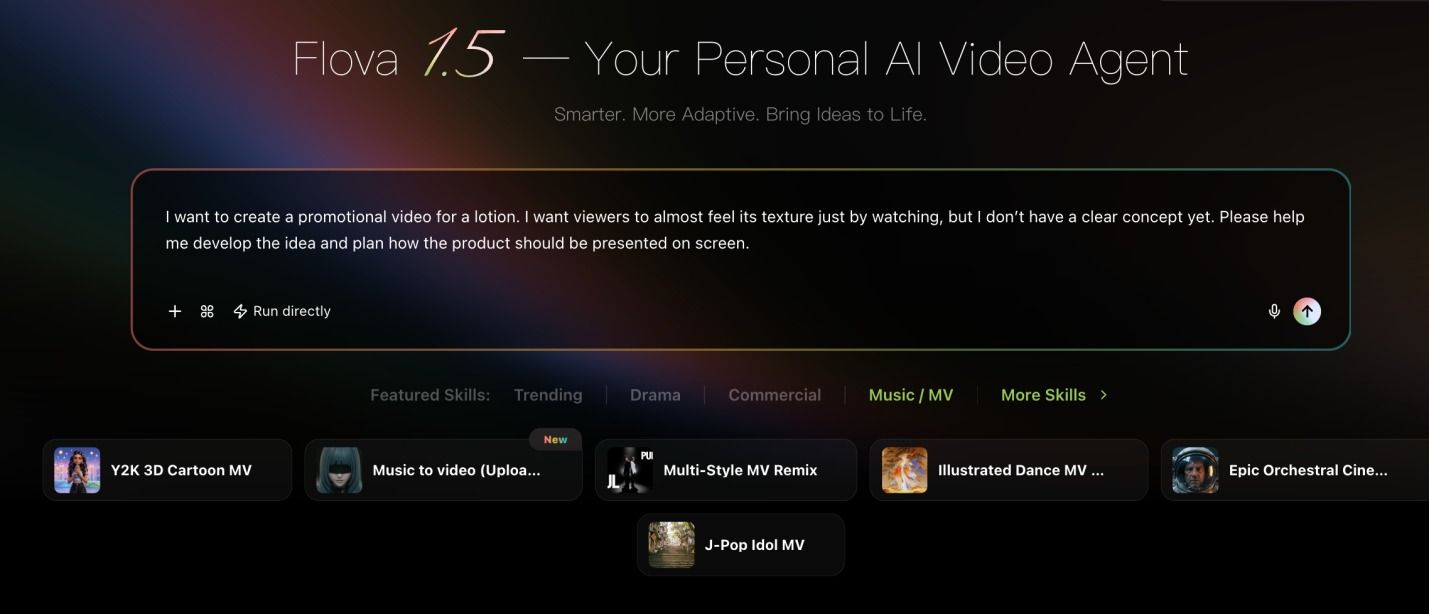

Creating an AI video is easier when you have a clear idea and a simple plan. Flova assists users in converting ideas, scripts, and reference materials into videos. You are able to plan, create images, add sound, enhance your video, and then export it. Whether you want to promote a product or create social media content, you can build your video step by step.
image1
What You Need Before Starting Your First Flova Project
Before you begin, decide what your video should accomplish. You may need to advertise a product, discuss a service or characterise your brand. An objective assists you in organising the content.
You can start with an idea, script, image, or existing media. Prepare your main message and think about your target audience. This information assists you in making a video that suits you.
If you have a logo, product images, or brand details, keep them ready. These can assist you in steering the video and in determining whether the end product meets your expectations.
Meet the Flova Video Generator and Its Creative Workflow
Flova Video Generator is an artificial intelligence platform that enables users to plan and create videos in Flova. You might begin with a thought and create it into a video with scenes, pictures and sound.
You can use Flova Agent to make a script, shot list, or storyboard. You are also able to add pictures, videos and audio to give guidance to your project. This simplifies the planning of your thoughts prior to producing the video.
Once the content has been created, go through the scenes and amend where necessary. It is possible to work on individual shots, organise the clips and make the final video ready to be exported.
The Production Walkthrough: Build a Video for a Real Campaign
Step 1: Define Your Campaign Goal
Imagine a skincare brand wants to promote a new moisturiser. Determine the intended audience of the product and its usefulness. This will provide your video with an objective.
Step 2: Design Your Video Idea.
Describe your campaign idea to Flova Agent. State what the video is to demonstrate and what you want viewers to take away. The following is the beginning of your project.
Step 3: Refine Your Video Script
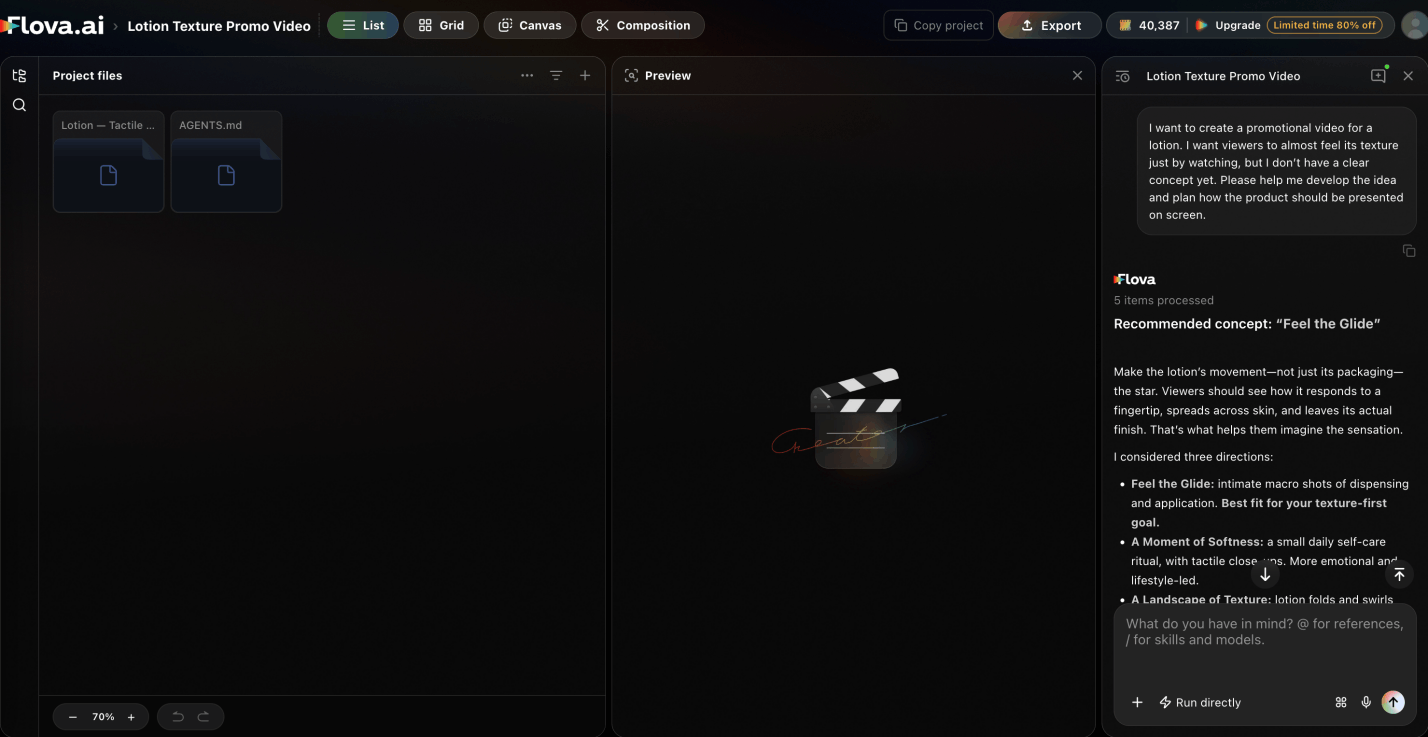
If you do not have a finished script or a specific concept yet, ask Flova Agent to plan the video for you. Review the proposed plan, then provide feedback or share fresh ideas so the Agent can refine it until it matches your vision.
Step 4: Plan Your Scenes
After you confirm the video script, Flova Agent will create a storyboard based on the approved plan. Before coming up with the visuals, make sure that every scene is supporting your message.
Step 5: Generate Visuals and Audio
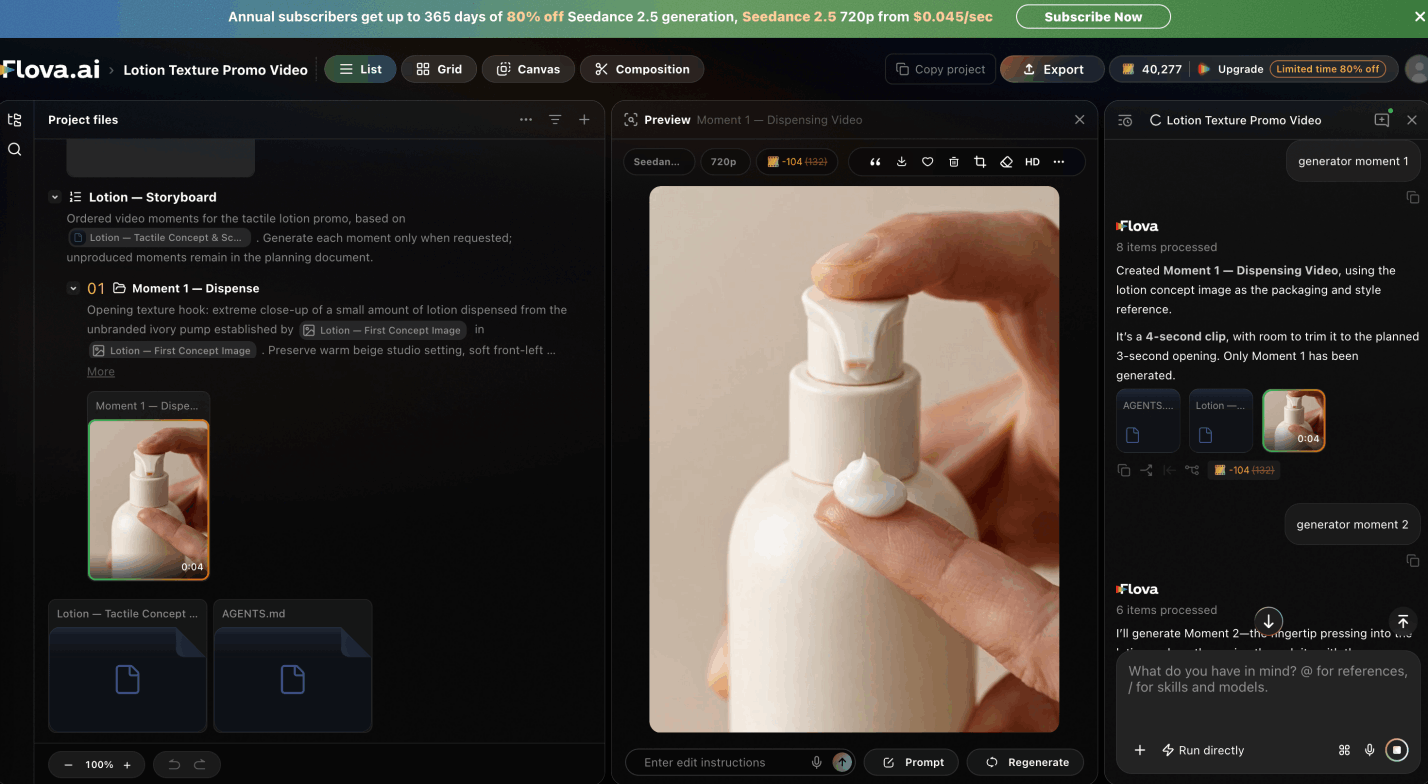
You can ask the Agent to generate all the shots at once or create them one at a time. The second option gives you more freedom to adjust your ideas without regenerating the later shots.
Use Flova Agent to add a voice-over, background music, or other supporting media. For a skincare campaign, ask it to highlight the product, its packaging, texture, and application.
Step 6: Review and Improve Your Scenes
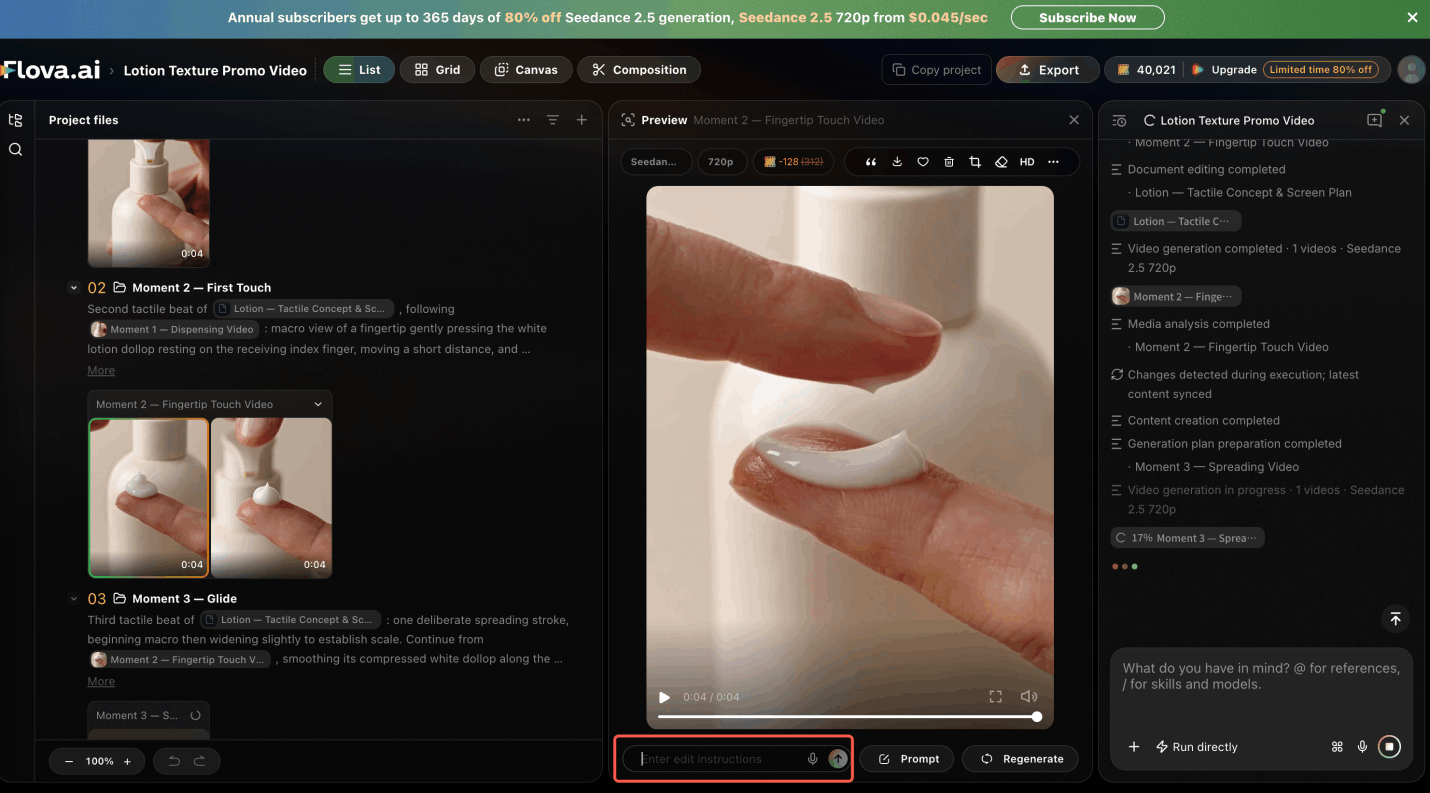
Watch each scene and check for problems. When the shot does not appear correct, change the instructions and rerun it. The final video can be made better through little adjustments.
Step 7: Edit and Export Your Video
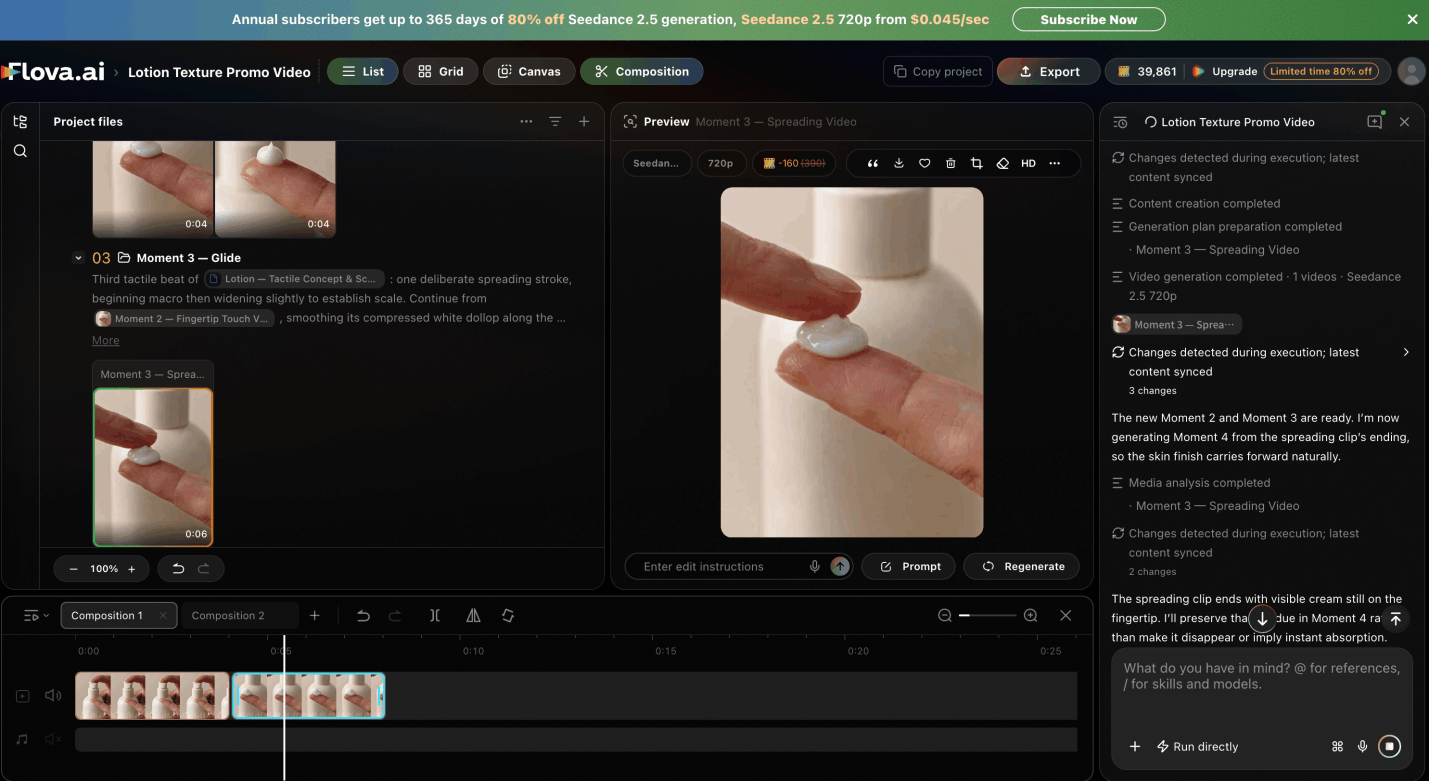
Arrange the scenes in order and check the timing, sound, and transitions. Be sure to have your key message at the end. Export the video when you are happy with the result.
If you plan to publish the video on different platforms, you can use Flova to create separate versions that match each platform’s format and requirements.
Create Different Video Formats With the Sample Workflow
Flova can create many types of videos, but beginners may need more time and practice to make a multi-shot video. To make the process easier, choose a Flova Skill and follow the Agent’s prompts. You can then use your own images to create a video like the example.
Short Promotional Videos for Social Media
Make short videos centred on a single message. Begin with a catchy introduction, demonstrate your product or service and have a clear follow-up.
Product Explainers and Brand Introductions
Explain features and benefits using product videos. When introducing a brand, consider your company purpose, values and differences.
UGC Video Ads for Product Campaigns
UGC videos have a more natural, creator-centred style. Begin by working with a product brief or a script, design the scenes and demonstrate how the product will assist the customers. Verify all product information prior to publication.
Story-Driven Videos and Creative Projects
Narrative videos must have an opening, middle, and end. Decide what occurs in every scene, then rationalise the images and the time so that a story can be easy to follow.
Turn Your Next Video Idea Into a Project
It is easier to create an AI video step by step. Begin with an idea, create your scenes, create the content, and check the finished version.
The Flova Video Generator assists in uniting these steps in a workflow. Whether you are creating a product advertisement, a social media video, or even introducing a brand, begin with a clear idea and create your video step-by-step.